
Cuenta Contacto
Tu carrito
Envío con DPD y FedEx
¿Dudas? Pregunte a la IA

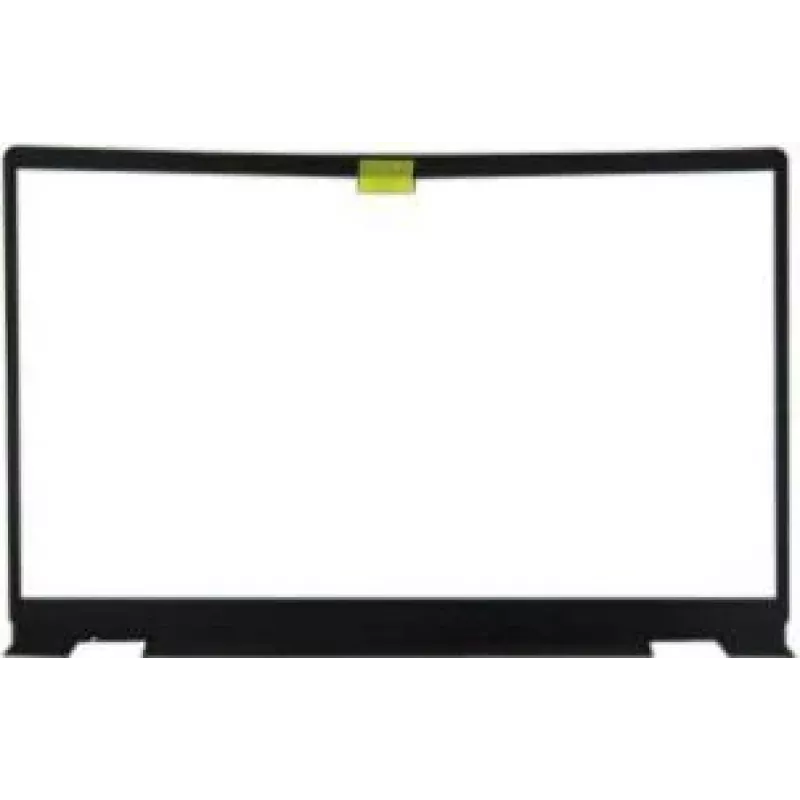
Bisel LCD para Dell Inspiron 15 RFKD3 — repuesto de plástico negro

Bisel LCD para Dell Inspiron 15 RFKD3 — repuesto de plástico negro
90,08 €
This black plastic LCD bezel is a front surround designed specifically for Dell Inspiron 15 series laptops, model RFKD3. It restores the external appearance of the display area and provides the required mounting points for the screen, webcam, hinges and related small components. The bezel is intende... Leer más
Stock AgotadoSin stock Código 1530202 Marca DELL Modelo RFKD3 Garantía 2 años

Envíos y devoluciones

This black plastic LCD bezel is a front surround designed specifically for Dell Inspiron 15 series laptops, model RFKD3. It restores the external appearance of the display area and provides the required mounting points for the screen, webcam, hinges and related small components. The bezel is intended as a direct replacement for cracked, scratched or missing display frames to return the laptop to a functional and visually acceptable condition.

Advantages

The bezel is manufactured from durable black ABS plastic that resists everyday wear and maintains fit with original chassis alignment. Its precise cutouts ensure compatibility with the display panel, integrated camera opening and hinge attachments, enabling straightforward installation without modification. Using a correct-fit bezel preserves port alignment, ventilation clearance and the laptop’s original look while providing structural support for display assembly.

Suitable for

  • Repairing Dell Inspiron 15 laptops with cracked or damaged display frames
  • Replacing missing or warped bezels after impact or prolonged use
  • Restoring laptop appearance for resale or professional refurbishment
  • Maintaining proper mounting and alignment of the screen, webcam and hinges

Key specifications

  • Material: black ABS plastic
  • Compatibility: Dell Inspiron 15 series (RFKD3 form factor)
  • Function: front bezel / display surround with camera and hinge cutouts
  • Finish: matte black surface matching original chassis appearance
  • Mounting: factory-style screw and clip locations to align with existing chassis

How to use

Power off the laptop, disconnect power and remove the battery if applicable before beginning. Remove the existing damaged bezel by releasing the retaining clips and unscrewing any visible fasteners; take care with ribbon cables and the webcam module. Align the replacement bezel to the display assembly, ensuring camera and hinge cutouts match the internal components. Fasten using the original screws and engage the clips evenly around the perimeter so the bezel sits flush with the screen and lid. Reconnect any cables, reinstall the battery and test the display and webcam function after assembly.

Recommendations

Use a non-marring pry tool to avoid scratching the screen or chassis during removal and installation. Keep track of all small screws and clips and work on a clean, static-free surface. If the webcam module or display panel was removed during replacement, verify cable seating and perform a brief functionality check before fully reassembling.

Aspectos destacados
  • Repairing Dell Inspiron 15 laptops with cracked or damaged display frames
  • Replacing missing or warped bezels after impact or prolonged use
  • Restoring laptop appearance for resale or professional refurbishment
  • Maintaining proper mounting and alignment of the screen, webcam and hinges
  • Material: black ABS plastic
  • Compatibility: Dell Inspiron 15 series (RFKD3 form factor)
  • Function: front bezel / display surround with camera and hinge cutouts
  • Finish: matte black surface matching original chassis appearance
  • Mounting: factory-style screw and clip locations to align with existing chassis
El historial de precios aún no está disponible
Todavía estamos recopilando suficientes datos de precios diarios de este producto.
Hola, soy el asistente de IA de DistriNode. Puedo ayudarte a encontrar productos, comparar opciones, crear presupuestos en PDF o abrir solicitudes de soporte.