
Cuenta Contacto
Tu carrito
Envío con DPD y FedEx
¿Dudas? Pregunte a la IA

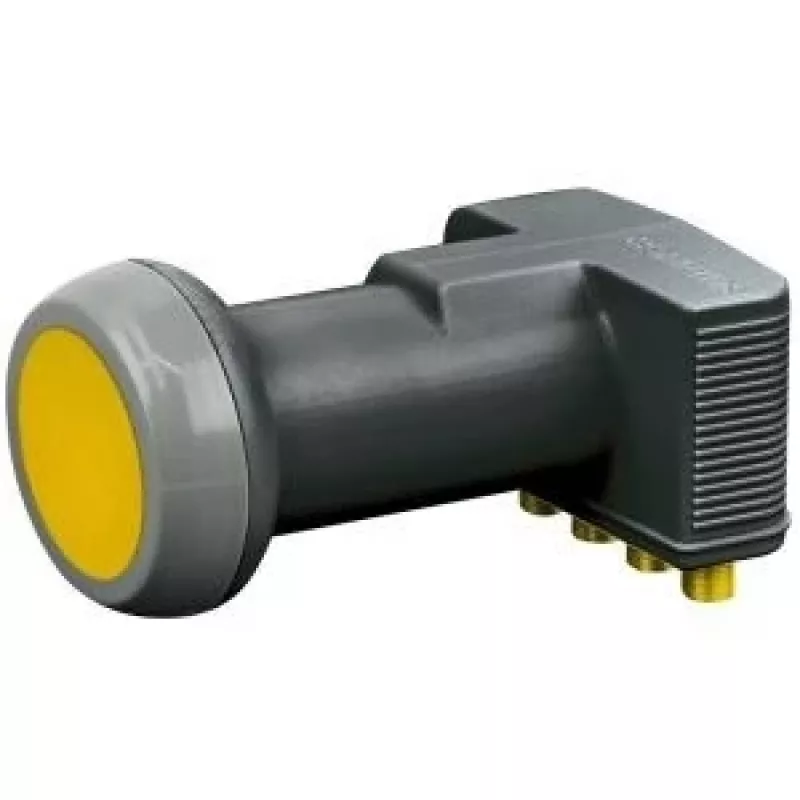
Convertidor de bloque de bajo ruido Schwaiger SPS6918A

Convertidor de bloque de bajo ruido Schwaiger SPS6918A
88,14 €
The Schwaiger Low Noise Block downconverter SPS6918A receives satellite signals in the 10.7–12.75 GHz band and converts them to lower intermediate frequencies for use with satellite receivers. Designed with an F-type RF connector and a 4 cm feedhorn, this grey LNB provides stable reception with low ... Leer más
Stock AgotadoSin stock Código 2250544 Marca SCHWAIGER Modelo SPS6918 A Garantía 2 años

Envíos y devoluciones

The Schwaiger Low Noise Block downconverter SPS6918A receives satellite signals in the 10.7–12.75 GHz band and converts them to lower intermediate frequencies for use with satellite receivers. Designed with an F-type RF connector and a 4 cm feedhorn, this grey LNB provides stable reception with low internal noise and modest power consumption. It is intended for reception of standard Ku-band satellite broadcasts and for integration into small to medium-sized dish installations.

Advantages

This LNB offers a broad operational frequency range covering the full Ku-band input of 10.7–12.75 GHz and a standard F-type output connector for compatibility with common satellite cables and receivers. The device draws approximately 250 mA, keeping power requirements low while maintaining consistent downconversion performance. Its compact feedhorn design helps focus incoming signals and supports stable, low-noise amplification suitable for typical consumer and light professional applications.

Suitable for

  • Home satellite TV reception using Ku-band satellites
  • Small residential or apartment dish installations
  • Replacement of an existing LNB with F-type connector
  • Basic multi-receiver setups when paired with compatible splitters or multiswitches

Key specifications

  • Input frequency range: 10.7–12.75 GHz (Ku-band)
  • Connector type: F-type (RF input/output interface)
  • Feedhorn diameter: 4 cm
  • Typical current consumption: 250 mA
  • Housing color: grey

How to use

Install the LNB at the focal point of a compatible satellite dish so the feedhorn faces the dish reflector. Connect the LNB to a satellite receiver using RG6 coaxial cable terminated with F-type connectors. Ensure the dish is aligned to the target satellite and that the receiver is set to the appropriate LNB frequency settings for the 10.7–12.75 GHz input range. Provide power to the LNB through the receiver or an external power inserter that supplies approximately 250 mA at the required voltage.

Recommendations

For best signal quality, use weather-resistant F-type connectors and quality coaxial cable, verify dish alignment with a signal meter if available, and protect the LNB from prolonged exposure to severe weather. When integrating into multi-receiver systems, confirm compatibility of splitters or multiswitches with the LNB output and the receiver's voltage/polarization switching.

Aspectos destacados
  • Home satellite TV reception using Ku-band satellites
  • Small residential or apartment dish installations
  • Replacement of an existing LNB with F-type connector
  • Basic multi-receiver setups when paired with compatible splitters or multiswitches
  • Input frequency range: 10.7–12.75 GHz (Ku-band)
  • Connector type: F-type (RF input/output interface)
  • Feedhorn diameter: 4 cm
  • Typical current consumption: 250 mA
  • Housing color: grey
Especificaciones
Color del producto
Grey
Consumo de energía
250 mA
Diámetro de la bocina (feedhorn)
40 mm
Factor de ruido
0.3 dB
Frecuencia del oscilador
9.75 - 10.6
Ganancia
55 dB
Número de puertos RF
4
Rango de frecuencia de entrada
10.7 - 12.75
Rango de frecuencia de salida
950 - 2150
Tipo de conector de RF
F
El historial de precios aún no está disponible
Todavía estamos recopilando suficientes datos de precios diarios de este producto.

Productos populares en esta categoría

Hola, soy el asistente de IA de DistriNode. Puedo ayudarte a encontrar productos, comparar opciones, crear presupuestos en PDF o abrir solicitudes de soporte.