
Cuenta Contacto
Tu carrito
Envío con DPD y FedEx
¿Dudas? Pregunte a la IA

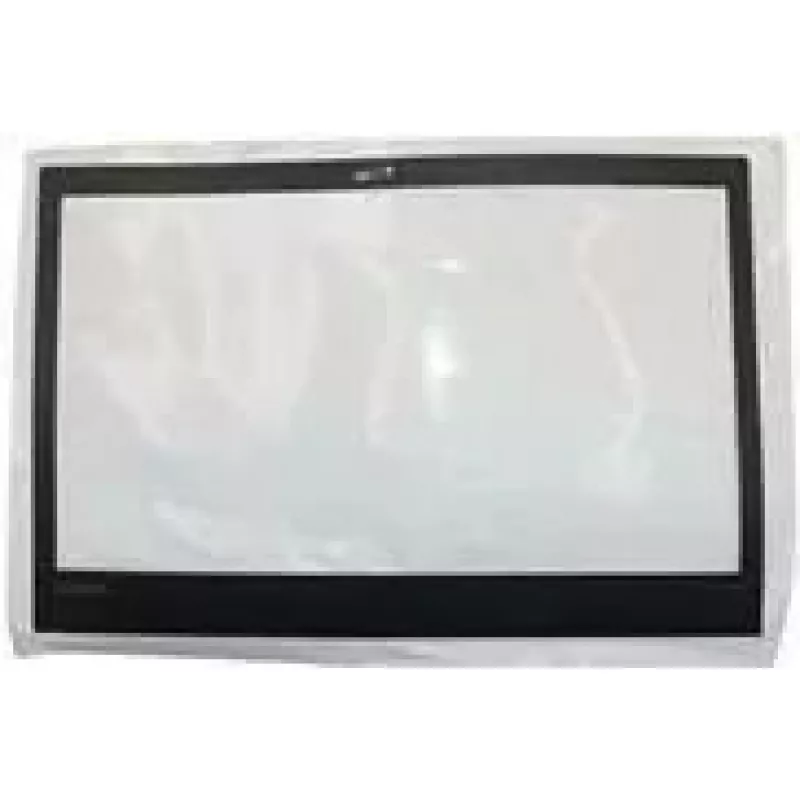
Cubierta del marco LCD para Lenovo ThinkPad T470 – bisel frontal de repuesto (MPN 01AX958)

Cubierta del marco LCD para Lenovo ThinkPad T470 – bisel frontal de repuesto (MPN 01AX958)
58,54 €
Replacement LCD bezel cover sheet compatible with Lenovo ThinkPad T470. This front frame panel restores the appearance of the laptop display assembly and secures the screen to the lid. The part is designed to match the original outer dimensions and mounting points used on the T470 display, allowing ... Leer más
Stock AgotadoSin stock Código 2573505 Marca LENOVO Modelo 01AX958 Garantía 2 años

Envíos y devoluciones

Replacement LCD bezel cover sheet compatible with Lenovo ThinkPad T470. This front frame panel restores the appearance of the laptop display assembly and secures the screen to the lid. The part is designed to match the original outer dimensions and mounting points used on the T470 display, allowing straightforward installation during screen repairs or refurbishment projects.

Advantages

The bezel cover sheet provides a close visual match to the original Lenovo exterior, helping to maintain the device’s factory appearance. Made to align with existing screw holes and clips, it reduces the need for modification and supports a stable fit for the display. Using an OEM-compatible front frame panel helps protect display edges from damage and prevents dust ingress between the screen and lid.

Suitable for

  • Repairing a cracked or damaged display bezel on a Lenovo ThinkPad T470
  • Refurbishing used T470 laptops to restore external appearance
  • Replacing missing or broken bezel components after disassembly
  • Service centers performing cosmetic or structural display repairs

Key specifications

  • Compatibility: Lenovo ThinkPad T470 display assembly form factor
  • Component type: front frame panel / LCD bezel cover
  • Material: rigid plastic designed for laptop bezels
  • Color and finish: matches original laptop exterior (black, matte finish typical for ThinkPad series)
  • Mounting: designed for existing screw holes and clip points on T470 lid
  • Function: secures LCD edges and conceals display assembly hardware

How to use

Power down the laptop, disconnect power and battery where applicable, and place the device on a static-safe surface. Carefully remove the damaged bezel by releasing clips and unscrewing any retaining screws while supporting the display panel. Align the replacement bezel with the display assembly, engage clips and reinstall screws in their original positions to secure the panel. Verify the screen sits evenly and that no cables are pinched during reassembly.

Recommendations

Handle the bezel and screen with care to avoid scratching the display. Use appropriate screwdrivers and take note of screw locations during disassembly. If unsure about disassembly, consult a service manual for the Lenovo ThinkPad T470 or seek professional repair services to ensure correct fit and avoid damage to the display assembly.

Aspectos destacados
  • Repairing a cracked or damaged display bezel on a Lenovo ThinkPad T470
  • Refurbishing used T470 laptops to restore external appearance
  • Replacing missing or broken bezel components after disassembly
  • Service centers performing cosmetic or structural display repairs
  • Compatibility: Lenovo ThinkPad T470 display assembly form factor
  • Component type: front frame panel / LCD bezel cover
  • Material: rigid plastic designed for laptop bezels
  • Color and finish: matches original laptop exterior (black, matte finish typical for ThinkPad series)
  • Mounting: designed for existing screw holes and clip points on T470 lid
  • Function: secures LCD edges and conceals display assembly hardware
El historial de precios aún no está disponible
Todavía estamos recopilando suficientes datos de precios diarios de este producto.
Hola, soy el asistente de IA de DistriNode. Puedo ayudarte a encontrar productos, comparar opciones, crear presupuestos en PDF o abrir solicitudes de soporte.