
Cuenta Contacto
Tu carrito
Envío con DPD y FedEx
¿Dudas? Pregunte a la IA

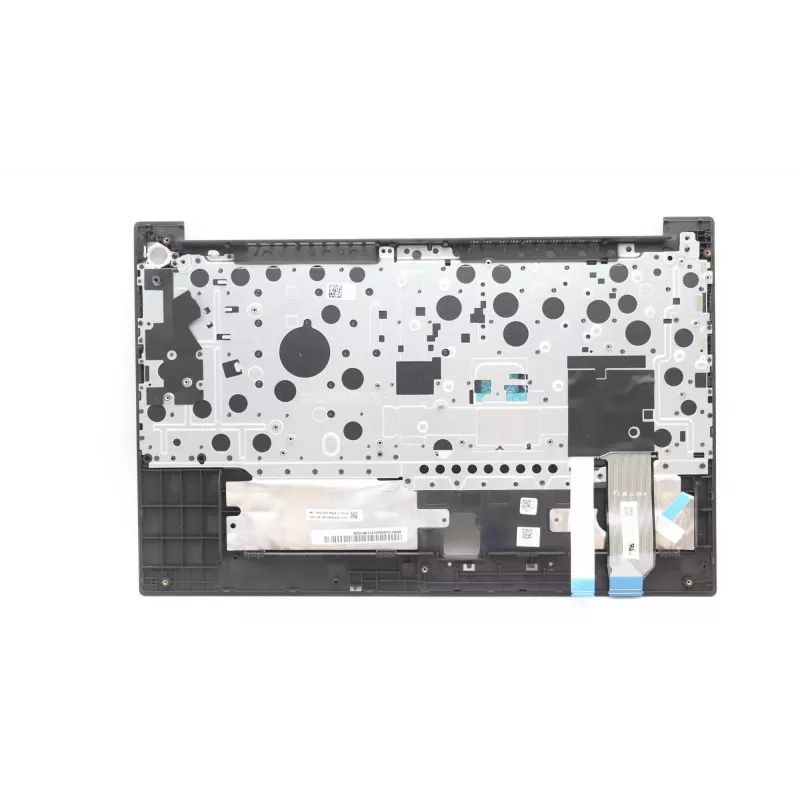
Funda + Teclado Lenovo 5M11C43770 retroiluminado para ThinkPad E15 Gen 3

Funda + Teclado Lenovo 5M11C43770 retroiluminado para ThinkPad E15 Gen 3
160,32 €
The Lenovo 5M11C43770 cover and keyboard set is designed specifically for the ThinkPad E15 Gen 3. This replacement unit combines a protective top cover with an integrated backlit keyboard in black, restoring both the look and functionality of your laptop. The backlit keys improve visibility in low-l... Leer más
Stock AgotadoSin stock Código 1729113 Marca LENOVO Modelo 5M11C43770 Garantía 2 años

Envíos y devoluciones

The Lenovo 5M11C43770 cover and keyboard set is designed specifically for the ThinkPad E15 Gen 3. This replacement unit combines a protective top cover with an integrated backlit keyboard in black, restoring both the look and functionality of your laptop. The backlit keys improve visibility in low-light environments while preserving the original keyboard layout and key spacing for reliable typing performance.

Advantages

This Lenovo cover and keyboard set provides a direct-fit replacement that maintains factory alignment with the ThinkPad E15 Gen 3 chassis. The backlit keyboard offers adjustable illumination for easier typing in dim conditions, and the black finish matches the original aesthetic. The unit is produced to meet Lenovo’s quality and durability expectations, reducing the need for frequent repairs or interim covers.

Suitable for

  • Repairing or replacing a damaged or worn keyboard on a ThinkPad E15 Gen 3
  • Upgrading to a backlit keyboard for improved low-light usability
  • Restoring the laptop’s original appearance after cover damage or wear
  • Maintaining consistent key layout and typing feel for business and education use

Key specifications

  • Compatibility: ThinkPad E15 Gen 3
  • Keyboard type: Backlit chiclet keyboard with standard laptop key spacing
  • Integrated component: Top cover with keyboard assembly
  • Colour: Black
  • Durability: Designed for long life under normal laptop use

How to use

Installation requires disassembling the laptop’s upper casing to remove the existing cover and keyboard assembly and to connect the replacement flex cables to the motherboard. Follow official Lenovo service instructions or a service manual for the ThinkPad E15 Gen 3 to avoid damaging connectors and internal parts. After physical installation, verify keyboard backlight function in the operating system and BIOS settings and install any vendor drivers if required.

Recommendations

Handle the replacement cover and keyboard with care during installation; use appropriate grounding to prevent electrostatic damage and ensure all connectors are securely seated. If unsure about disassembly, consider professional installation to maintain warranty and device integrity.

Aspectos destacados
  • Repairing or replacing a damaged or worn keyboard on a ThinkPad E15 Gen 3
  • Upgrading to a backlit keyboard for improved low-light usability
  • Restoring the laptop’s original appearance after cover damage or wear
  • Maintaining consistent key layout and typing feel for business and education use
  • Compatibility: ThinkPad E15 Gen 3
  • Keyboard type: Backlit chiclet keyboard with standard laptop key spacing
  • Integrated component: Top cover with keyboard assembly
  • Colour: Black
  • Durability: Designed for long life under normal laptop use
Especificaciones
Color del producto
Black
Compatibilidad
ThinkPad E15 Gen 3
Compatibilidad con marcas
Lenovo
Sistemas operativos Windows compatibles
Yes
Teclado numérico
Yes
Teclado retroiluminado
Yes
Tipo
Cover + keyboard
Ubicación del conector
Bottom right

Folleto

Abrir documento
El historial de precios aún no está disponible
Todavía estamos recopilando suficientes datos de precios diarios de este producto.

Productos populares en esta categoría

Hola, soy el asistente de IA de DistriNode. Puedo ayudarte a encontrar productos, comparar opciones, crear presupuestos en PDF o abrir solicitudes de soporte.