
Cuenta Contacto
Tu carrito
Envío con DPD y FedEx
¿Dudas? Pregunte a la IA

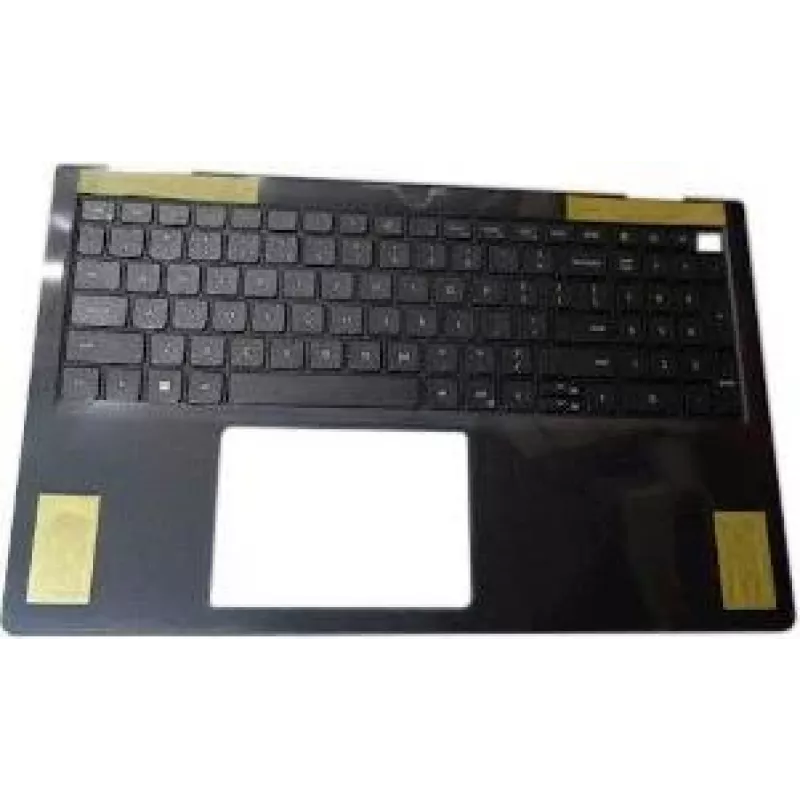
Interno Dell RRN0C — Componente interno Dell RRN0C

Interno Dell RRN0C — Componente interno Dell RRN0C
96,39 €
Internal Dell RRN0C — Dell internal component RRN0C is a genuine Dell internal component designed as a replacement or spare part for compatible Dell systems. It restores original functionality in systems where the corresponding internal part has failed or requires replacement. The component is inten... Leer más
Stock AgotadoSin stock Código 1502588 Marca DELL Modelo RRN0C Garantía 2 años

Envíos y devoluciones

Internal Dell RRN0C — Dell internal component RRN0C is a genuine Dell internal component designed as a replacement or spare part for compatible Dell systems. It restores original functionality in systems where the corresponding internal part has failed or requires replacement. The component is intended for use by technicians, IT departments and service personnel performing repairs, upgrades or inventory maintenance in business and service environments.

Advantages

The component provides original-manufacturer compatibility and fit, reducing the risk of installation issues when replacing the equivalent part in supported Dell systems. Using a genuine Dell component helps maintain system stability and can simplify troubleshooting because it matches the hardware and firmware expectations of Dell-approved configurations. As a spare part, it allows faster repair turnaround and reduces system downtime in operational environments.

Suitable for

  • Repairing compatible Dell systems that require the specific internal component
  • Routine maintenance and spare-parts inventory for IT and service teams
  • Hardware upgrades and component replacements in business or lab environments

Key specifications

  • Manufacturer: Dell
  • Type: Internal replacement component for compatible Dell systems
  • Compatibility: Intended for use in systems specified by Dell as supporting this internal component
  • Use case: Replacement, spare part, or service repair component

How to use

Power down the target Dell system and follow Dell's service manual or official instructions for safe handling and component replacement. Ground yourself to prevent electrostatic discharge and remove any power sources and batteries as directed by the system guide. Remove the failed or existing component according to the service steps, install the Internal Dell RRN0C in the appropriate slot or mounting point, secure any fasteners, and reconnect power. After installation, power up the system and verify through system diagnostics or BIOS/UEFI that the component is recognized and functioning as expected.

Recommendations

Use only in systems that Dell lists as compatible for this internal component, and refer to official Dell documentation for disassembly and installation procedures. If unsure about compatibility or installation, consult a qualified technician or Dell support to avoid damage to the system or the component.

Aspectos destacados
  • Repairing compatible Dell systems that require the specific internal component
  • Routine maintenance and spare-parts inventory for IT and service teams
  • Hardware upgrades and component replacements in business or lab environments
  • Manufacturer: Dell
  • Type: Internal replacement component for compatible Dell systems
  • Compatibility: Intended for use in systems specified by Dell as supporting this internal component
  • Use case: Replacement, spare part, or service repair component
El historial de precios aún no está disponible
Todavía estamos recopilando suficientes datos de precios diarios de este producto.

Productos populares en esta categoría

Hola, soy el asistente de IA de DistriNode. Puedo ayudarte a encontrar productos, comparar opciones, crear presupuestos en PDF o abrir solicitudes de soporte.