
Cuenta Contacto
Tu carrito
Envío con DPD y FedEx
¿Dudas? Pregunte a la IA

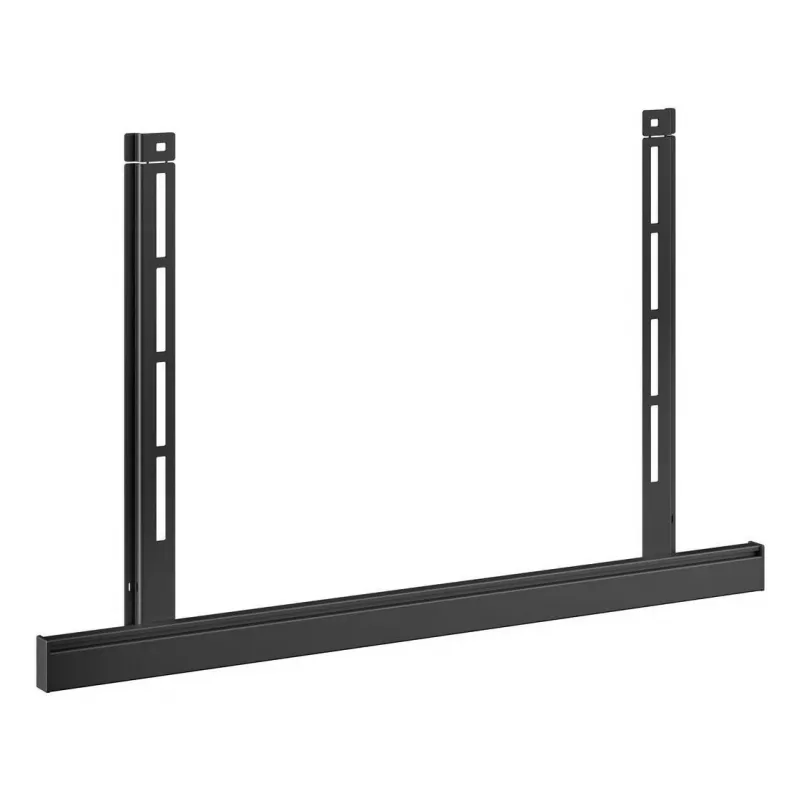
Adaptador accesorio Vogel's RISE A111 para elevador de pantalla motorizado

Adaptador accesorio Vogel's RISE A111 para elevador de pantalla motorizado
93,24 €
The Vogel's RISE A111 accessory adapter is designed for use with motorized display lift systems. It provides a compatible mounting interface that simplifies integration of additional components and creates a secure, stable connection for displays and peripherals in AV installations. The adapter is i... Leer más
Stock AgotadoSin stock Código 1210364 Marca VOGELS Modelo 7301110 Garantía 2 años

Envíos y devoluciones

The Vogel's RISE A111 accessory adapter is designed for use with motorized display lift systems. It provides a compatible mounting interface that simplifies integration of additional components and creates a secure, stable connection for displays and peripherals in AV installations. The adapter is intended to work with Vogel's RISE motorized lifts to enable straightforward mounting of accessories while maintaining alignment and mechanical stability during lift motion.

Advantages

The adapter offers a standardized physical interface that reduces installation time and ensures compatibility between the lift mechanism and a range of add-on components. Its construction supports a stable connection under dynamic movement of the motorized lift, minimizing play or misalignment. By using a purpose-made accessory adapter, installers can achieve predictable mounting points and avoid custom fabrication, which improves overall reliability of the AV setup.

Suitable for

  • AV installations in meeting rooms and conference spaces
  • Mounting peripheral equipment to motorized display lifts
  • Integration of cameras, control boxes or shallow shelves with RISE lifts
  • Professional audiovisual setups requiring repeatable, secure mounts

Key specifications

  • Compatibility: designed for use with Vogel's RISE series motorized display lifts
  • Function: provides a mounting interface for accessories and peripherals
  • Mechanical: engineered to maintain secure connection during lift movement
  • Use environment: indoor AV and conference room applications

How to use

Attach the adapter to the designated mounting points on the Vogel's RISE motorized lift following the lift manufacturer’s installation instructions. Secure fasteners to the recommended torque values and verify that the adapter aligns with the accessory to be mounted. After installation, operate the lift through its full travel to confirm that the accessory remains stable and does not interfere with lift movement or neighboring structures. If necessary, adjust mounting positions or fastener tension to eliminate unwanted movement.

Recommendations

Use this adapter only with compatible Vogel's RISE motorized lift models and with accessories within the mechanical load ratings specified by the lift manufacturer. Follow all safety and installation guidelines provided with the lift system, and perform periodic checks of fasteners and alignment to maintain safe, reliable operation.

Aspectos destacados
  • AV installations in meeting rooms and conference spaces
  • Mounting peripheral equipment to motorized display lifts
  • Integration of cameras, control boxes or shallow shelves with RISE lifts
  • Professional audiovisual setups requiring repeatable, secure mounts
  • Compatibility: designed for use with Vogel's RISE series motorized display lifts
  • Function: provides a mounting interface for accessories and peripherals
  • Mechanical: engineered to maintain secure connection during lift movement
  • Use environment: indoor AV and conference room applications
Historial de precios de los últimos 6 meses
Adaptador accesorio Vogel's RISE A111 para elevador de pantalla motorizado
Actual
93,24 €
Mínimo
78,15 €
Máximo
122,64 €
Variación 24 h
+4,49 €   +5%
Semana
+4,67 €   +5%
Mes
-19,99 €   -18%
Hola, soy el asistente de IA de DistriNode. Puedo ayudarte a encontrar productos, comparar opciones, crear presupuestos en PDF o abrir solicitudes de soporte.