
Cuenta Contacto
Tu carrito
Envío con DPD y FedEx
¿Dudas? Pregunte a la IA

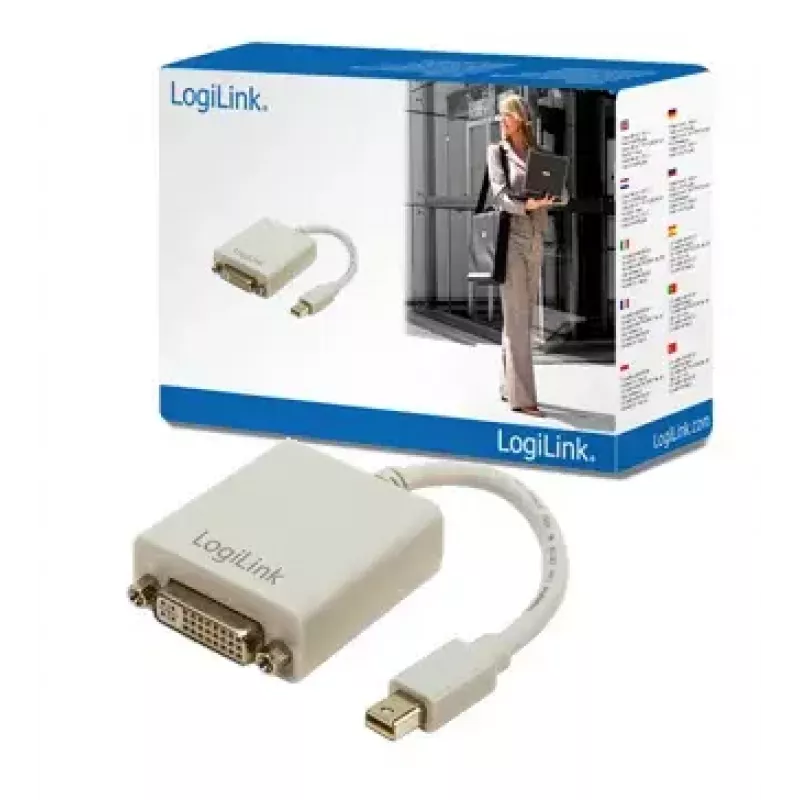
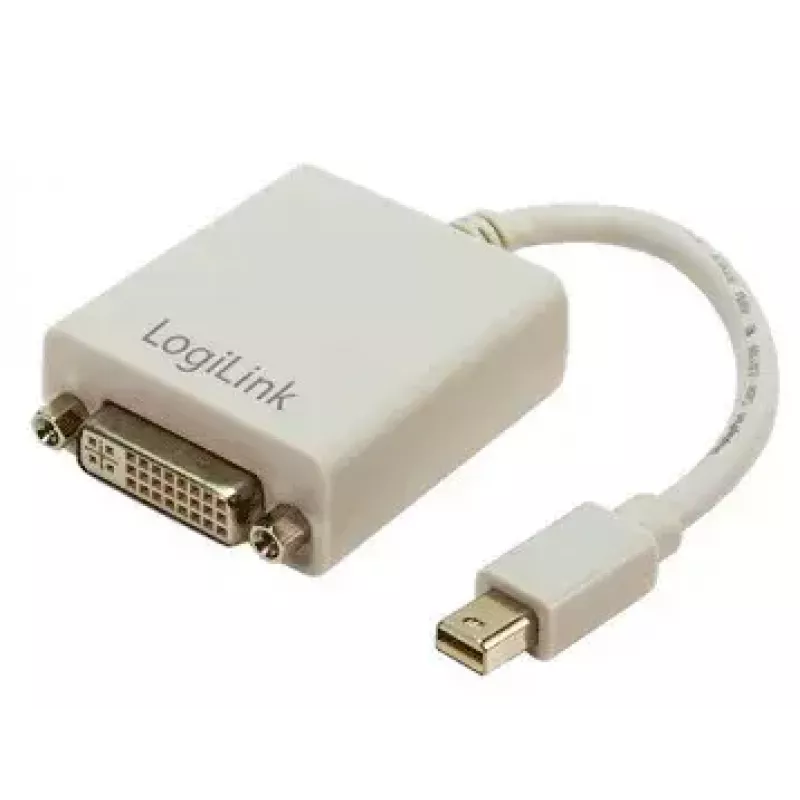
Adaptador Mini DisplayPort a DVI LogiLink CV0037

Adaptador Mini DisplayPort a DVI LogiLink CV0037
18,91 €
The LogiLink Mini DisplayPort to DVI Adapter CV0037 is a compact cable adapter designed to connect devices with a Mini DisplayPort output to displays that accept DVI-I input. At 0.09 m length and finished in grey, the adapter provides a straightforward, space-saving connection between laptops, table... Leer más
Stock AgotadoSin stock Código 1448475 Marca LOGILINK Modelo CV0037 Garantía 3 años
CategoríaCables y adaptadores Mini DisplayPort

Envíos y devoluciones

The LogiLink Mini DisplayPort to DVI Adapter CV0037 is a compact cable adapter designed to connect devices with a Mini DisplayPort output to displays that accept DVI-I input. At 0.09 m length and finished in grey, the adapter provides a straightforward, space-saving connection between laptops, tablets or other Mini DisplayPort-equipped sources and DVI-capable monitors or projectors. It transmits video signals to enable extended desktop setups or mirror displays where DVI input is available.

Advantages

The adapter offers a small form factor that simplifies portability and installation in tight workspaces. It directly converts Mini DisplayPort output to DVI-I input without requiring additional drivers, providing reliable video signal transmission. Its grey finish is neutral for office and home environments, and the short cable length reduces clutter and signal degradation risks typical of longer leads.

Suitable for

  • Connecting laptops or tablets with Mini DisplayPort to DVI monitors
  • Setting up projectors or external displays for presentations
  • Creating an extended desktop or mirrored screen using DVI-I displays

Key specifications

  • Connector 1: Mini DisplayPort
  • Connector 2: DVI-I
  • Cable length: 0.09 m
  • Product colour: Grey

How to use

Insert the Mini DisplayPort end into the source device’s Mini DisplayPort output and connect the DVI-I plug to the display’s DVI input. Power on both devices and select the appropriate input on the monitor or projector. Configure display settings on the source device as required for resolution, orientation, or extended/duplicate display mode. No driver installation is typically necessary for standard video output functionality.

Recommendations

Use the adapter with supported Mini DisplayPort sources and DVI-I displays. For optimal results, ensure connectors are fully seated and avoid excessive bending near the connector junction. If using high resolutions, verify that the display and source support the desired resolution and refresh rate via system display settings.

Aspectos destacados
  • Connecting laptops or tablets with Mini DisplayPort to DVI monitors
  • Setting up projectors or external displays for presentations
  • Creating an extended desktop or mirrored screen using DVI-I displays
  • Connector 1: Mini DisplayPort
  • Connector 2: DVI-I
  • Cable length: 0.09 m
  • Product colour: Grey
Especificaciones
Código del Sistema Armonizado (HS)
84733080
Color del producto
Grey
Conector 1
Mini DisplayPort
Conector 2
DVI-I
Género del conector 1
Male
Género del conector 2
Female
Longitud del cable
0.09 m
El historial de precios aún no está disponible
Todavía estamos recopilando suficientes datos de precios diarios de este producto.

Escribir una opinión

Valoración *
Tu nombre se mostrará públicamente: puedes usar un apodo. Invitamos a los compradores a escribir opiniones; las revisamos antes de publicarlas y publicamos también las críticas.

Más productos LOGILINK en esta categoría

Productos populares en esta categoría

Vendedor: UAB KUR LT · Laisvės pr. 125A, LT-06118 Vilna, Lituania · Código de empresa 303192950 · NIF-IVA UE LT100008198612 · Envío desde la UE (Lituania)
WhatsApp
Messenger
Hola, soy el asistente de IA de DistriNode. Puedo ayudarte a encontrar productos, comparar opciones, crear presupuestos en PDF o abrir solicitudes de soporte.
Todas las categorías