
Cuenta Contacto
Tu carrito
Envío con DPD y FedEx
¿Dudas? Pregunte a la IA

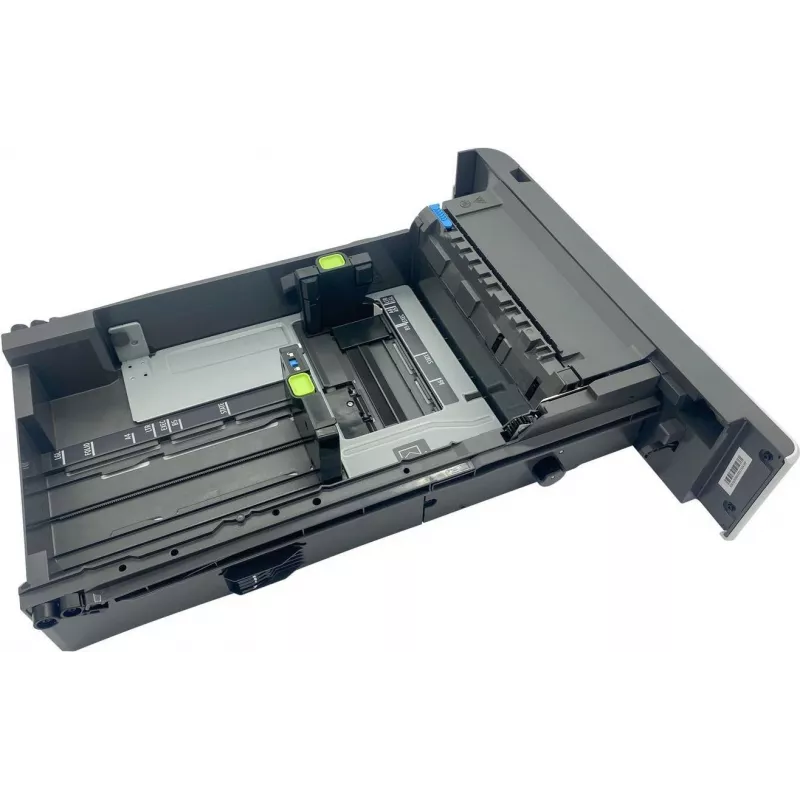
Bandeja de papel para impresora Lexmark – pieza de repuesto compatible 41X1118

Bandeja de papel para impresora Lexmark – pieza de repuesto compatible 41X1118
126,14 €
Replacement paper media tray compatible with Lexmark printers — spare part designed to restore or increase paper handling capacity. The tray provides stable paper stacking and smooth feeding to reduce misfeeds and interruptions. It is intended as a direct-fit replacement for worn or missing trays on... Leer más
Stock 5 Código 1164390 Marca LEXMARK Modelo 41X1118 Garantía 2 años

Envíos y devoluciones

Entrega estimada Martes, Octubre 20
Te mantendremos informado a través de nuestro sistema de seguimiento detallado
Opciones de pago
Tarjeta bancariaVisaMastercardPayPalApple PayGoogle PayTransferencia bancaria

Replacement paper media tray compatible with Lexmark printers — spare part designed to restore or increase paper handling capacity. The tray provides stable paper stacking and smooth feeding to reduce misfeeds and interruptions. It is intended as a direct-fit replacement for worn or missing trays on compatible Lexmark models and installs without complex adjustments.

Advantages

The tray is built to align paper reliably and maintain consistent feed performance, reducing the need for manual reloading during print jobs. Constructed from durable materials that withstand repeated use, it supports common paper sizes and weights used in offices and homes. Installation and removal are straightforward, enabling quick replacement or expansion of the printer's paper capacity.

Suitable for

  • Office printers requiring replacement or additional paper trays
  • Home users who need increased paper capacity or a spare tray
  • Service technicians performing maintenance or parts replacement

Key specifications

  • Compatibility: designed for compatible Lexmark printers (verify model fit before purchase)
  • Paper handling: supports standard office paper types and weights
  • Capacity: provides additional paper stacking capacity to extend print runs
  • Construction: durable plastic components for repeated insertion and removal
  • Installation: tool-free installation compatible with designated printer models

How to use

Power off the printer and open the paper tray compartment according to the printer manual. Remove the old or damaged tray if present, then slide the replacement tray into the compartment until it seats firmly. Adjust any paper guides to fit the paper size, load paper without exceeding the recommended fill line, and close the compartment. Power on the printer and run a test print or tray alignment procedure if the printer requests confirmation.

Recommendations

Use standard, undamaged paper and align sheets before loading to minimize jams. Verify compatibility with your Lexmark model before installation. Periodically inspect the tray for cracks or wear and replace if feeding issues occur. Avoid overfilling beyond the indicated capacity to maintain reliable feeding.

Aspectos destacados
  • Office printers requiring replacement or additional paper trays
  • Home users who need increased paper capacity or a spare tray
  • Service technicians performing maintenance or parts replacement
  • Compatibility: designed for compatible Lexmark printers (verify model fit before purchase)
  • Paper handling: supports standard office paper types and weights
  • Capacity: provides additional paper stacking capacity to extend print runs
  • Construction: durable plastic components for repeated insertion and removal
  • Installation: tool-free installation compatible with designated printer models
Historial de precios de los últimos 6 meses
Bandeja de papel para impresora Lexmark – pieza de repuesto compatible 41X1118
Actual
126,14 €
Mínimo
123,97 €
Máximo
161,01 €
Variación 24 h
+0,61 €   +0%
Semana
+0,87 €   +1%
Mes
+1,08 €   +1%
Hola, soy el asistente de IA de DistriNode. Puedo ayudarte a encontrar productos, comparar opciones, crear presupuestos en PDF o abrir solicitudes de soporte.