
Cuenta Contacto
Tu carrito
Envío con DPD y FedEx
¿Dudas? Pregunte a la IA

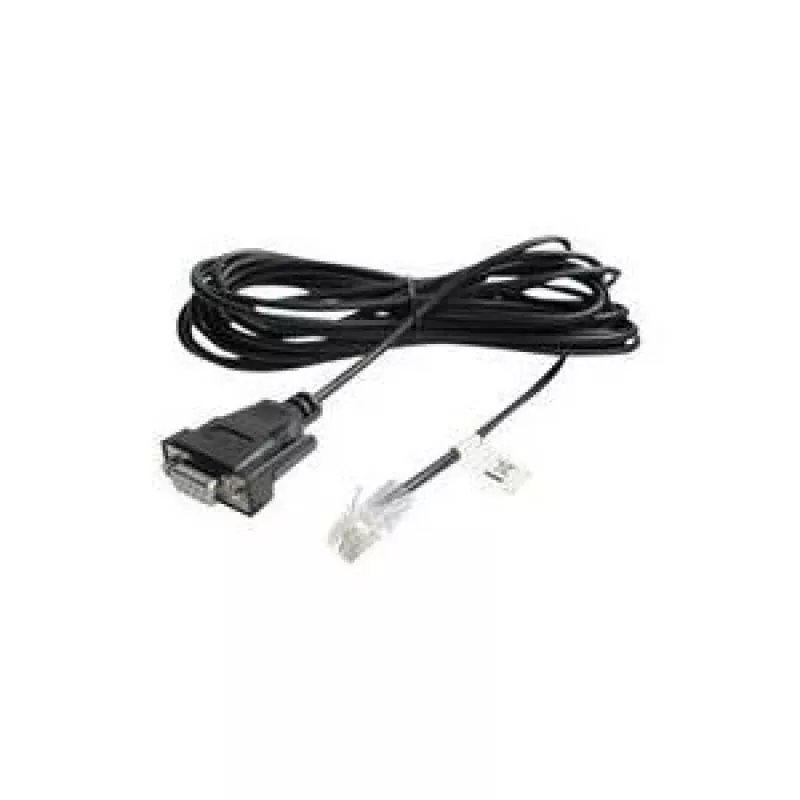
Cable de señal APC AP940-1525A, 4,57 m, DB9 a RJ45, conector macho/hembra, negro

Cable de señal APC AP940-1525A, 4,57 m, DB9 a RJ45, conector macho/hembra, negro
55,81 €
APC AP940-1525A is a 4.57 m signal cable with a DB9 (male) to RJ45 (female) configuration, designed to provide a dedicated serial/console connection between APC UPS units and network equipment, desktops, workstations or servers. The cable is black and intended for management, data and control signal... Leer más
Stock 1 Código 2223367 Marca APC Modelo AP940-1525A Garantía 2 años

Envíos y devoluciones

Entrega estimada Miércoles, Octubre 21
Te mantendremos informado a través de nuestro sistema de seguimiento detallado
Opciones de pago
Tarjeta bancariaVisaMastercardPayPalApple PayGoogle PayTransferencia bancaria

APC AP940-1525A is a 4.57 m signal cable with a DB9 (male) to RJ45 (female) configuration, designed to provide a dedicated serial/console connection between APC UPS units and network equipment, desktops, workstations or servers. The cable is black and intended for management, data and control signalling between devices.

Advantages

The APC AP940-1525A offers a ready-made, industry-standard DB9-to-RJ45 connection that simplifies linking UPS units to consoles or serial ports on network devices. Its 4.57 m length provides sufficient reach in typical rack and desktop installations, and the cable is supplied as a single, ready-to-use unit suitable for management and monitoring tasks.

Suitable for

  • Connecting APC UPSs to network equipment for remote management
  • Console or serial connections to desktops and workstations
  • Linking UPS units to servers for data/control signalling

Key specifications

  • Model: AP940-1525A
  • Length: 4.57 m
  • Connectors: DB9 (male) to RJ45 (female)
  • Color: Black
  • Packaging: single piece
  • Dimensions (packaged): 222 × 108 × 57 mm
  • Weight (packaged): 200 g
  • Brand: APC
  • MPN: AP940-1525A
  • EAN: 731304310822

How to use

Connect the DB9 male end to the serial/COM port on the UPS or device that uses a DB9 interface and insert the RJ45 female end into the corresponding RJ45 console port on the receiving device. Ensure both devices are powered off or follow hot-plugging guidance in the device manuals when making connections. After physical connection, configure serial port parameters (baud rate, parity, data bits, stop bits) on the connected devices as required for console or management communication.

Recommendations

Route the cable to avoid sharp bends and areas with heavy foot traffic; secure with cable ties as needed. Verify connector orientation before insertion to prevent damage to ports. Use the cable for management and signalling purposes only and follow APC and equipment vendor guidelines for serial connections.

Aspectos destacados
  • Connecting APC UPSs to network equipment for remote management
  • Console or serial connections to desktops and workstations
  • Linking UPS units to servers for data/control signalling
  • Model: AP940-1525A
  • Length: 4.57 m
  • Connectors: DB9 (male) to RJ45 (female)
  • Color: Black
  • Packaging: single piece
  • Dimensions (packaged): 222 × 108 × 57 mm
  • Weight (packaged): 200 g
  • Brand: APC
  • MPN: AP940-1525A
  • EAN: 731304310822
Especificaciones
Altura
57 mm
Ancho
222 mm
Cantidad por paquete
1 pc(s)
Certificados de conformidad
RoHS
Color del producto
Black
Conectores
DB9, RJ45
Género del conector
Male/Female
Longitud
108 mm
Longitud del cable
4.57 m
Peso
200 g

Folleto

Abrir documento
Historial de precios de los últimos 6 meses
Cable de señal APC AP940-1525A, 4,57 m, DB9 a RJ45, conector macho/hembra, negro
Actual
55,81 €
Mínimo
47,67 €
Máximo
83,48 €
Variación 24 h
+0,85 €   +2%
Semana
+0,76 €   +1%
Mes
-27,05 €   -33%

Productos populares en esta categoría

Hola, soy el asistente de IA de DistriNode. Puedo ayudarte a encontrar productos, comparar opciones, crear presupuestos en PDF o abrir solicitudes de soporte.