
Cuenta Contacto
Tu carrito
Envío con DPD y FedEx
¿Dudas? Pregunte a la IA

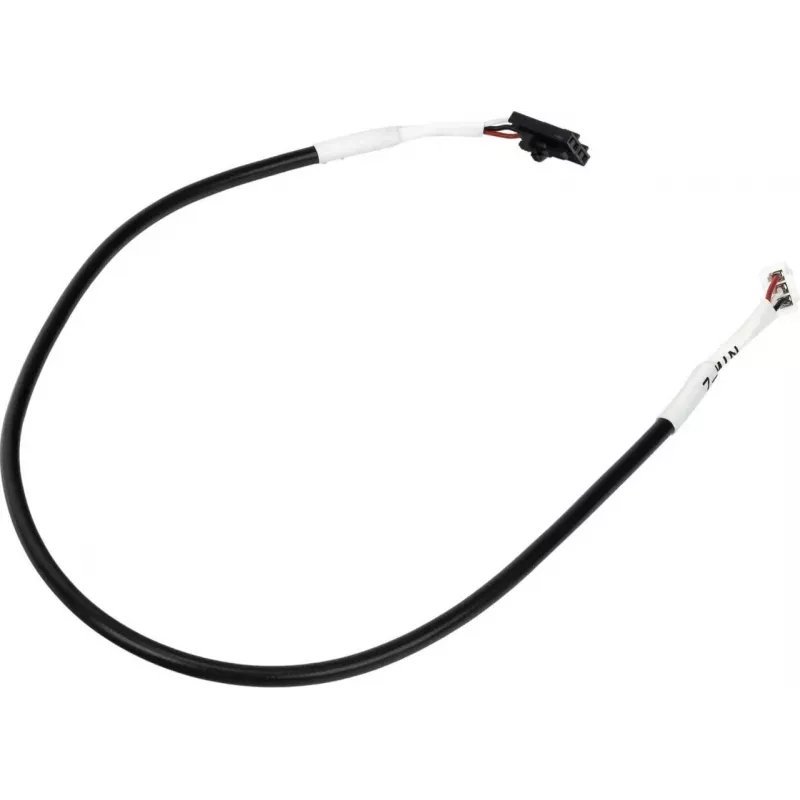
Cable sensor eje Z FlashForge para Guider 3 Plus, cable de repuesto MPN 40001884001

Cable sensor eje Z FlashForge para Guider 3 Plus, cable de repuesto MPN 40001884001
18,14 €
Replacement Z-axis sensor cable designed for FlashForge Guider 3 Plus. This spare cable connects the Z-axis limit or position sensor to the printer control board, restoring the electrical path required for accurate Z-axis homing and reliable layer alignment. The cable is intended for use in maintena... Leer más
Stock 39 Código 1490598 Marca FLASHFORGE Modelo 40001884001 Garantía 2 años

Envíos y devoluciones

Entrega estimada Jueves, Octubre 22
Te mantendremos informado a través de nuestro sistema de seguimiento detallado
Opciones de pago
Tarjeta bancariaVisaMastercardPayPalApple PayGoogle PayTransferencia bancaria

Replacement Z-axis sensor cable designed for FlashForge Guider 3 Plus. This spare cable connects the Z-axis limit or position sensor to the printer control board, restoring the electrical path required for accurate Z-axis homing and reliable layer alignment. The cable is intended for use in maintenance and repair of the Guider 3 Plus and is compatible with OEM wiring layouts used in that model.

Advantages

The cable provides a direct replacement that matches the original wiring and connector layout, enabling quick restoration of sensor signaling without the need for wiring modification. It supports precise Z-axis position detection to maintain print accuracy and layer consistency. Using a purpose-made spare cable reduces troubleshooting time and risk of intermittent sensor faults caused by damaged or worn wiring.

Key specifications

  • Function: Z-axis position/limit sensor connection cable
  • Compatibility: Designed for FlashForge Guider 3 Plus electrical layout
  • Connector type: OEM-style connectors matching the printer's sensor and board
  • Cable construction: multi-conductor insulated cable suitable for signal transmission
  • Application environment: indoor 3D printer assembly and repair

How to use

Power off and unplug the printer before starting any repair. Access the Z-axis sensor and control board according to the Guider 3 Plus service instructions, disconnect the old cable from both the sensor and the board, and install the replacement cable by seating each connector firmly in its mating socket. Route the cable along the original path, secure it to existing clips or ties to prevent interference with moving parts, and verify connector orientation matches the factory wiring. After installation, power on the printer and run a Z-axis homing sequence to confirm correct sensor operation.

Recommendations

Inspect connectors and cable routing periodically; avoid sharp bends and contact with hot components. If sensor faults persist after replacement, check connector seating and continuity or consult official service documentation for the Guider 3 Plus.

Aspectos destacados
  • Ремонт и замена повреждённого кабеля датчика Z-оси в FlashForge Guider 3 Plus
  • Плановое техническое обслуживание для предотвращения ошибок хоминга по Z-оси
  • Восстановление корректного сигнала датчика для точного выравнивания слоёв при печати
  • Function: Z-axis position/limit sensor connection cable
  • Compatibility: Designed for FlashForge Guider 3 Plus electrical layout
  • Connector type: OEM-style connectors matching the printer's sensor and board
  • Cable construction: multi-conductor insulated cable suitable for signal transmission
  • Application environment: indoor 3D printer assembly and repair
Historial de precios de los últimos 6 meses
Cable sensor eje Z FlashForge para Guider 3 Plus, cable de repuesto MPN 40001884001
Actual
18,14 €
Mínimo
6,46 €
Máximo
34,34 €
Variación 24 h
+0,40 €   +2%
Semana
+0,52 €   +3%
Mes
+11,37 €   +168%

Productos populares en esta categoría

Hola, soy el asistente de IA de DistriNode. Puedo ayudarte a encontrar productos, comparar opciones, crear presupuestos en PDF o abrir solicitudes de soporte.