
Cuenta Contacto
Tu carrito
Envío con DPD y FedEx
¿Dudas? Pregunte a la IA

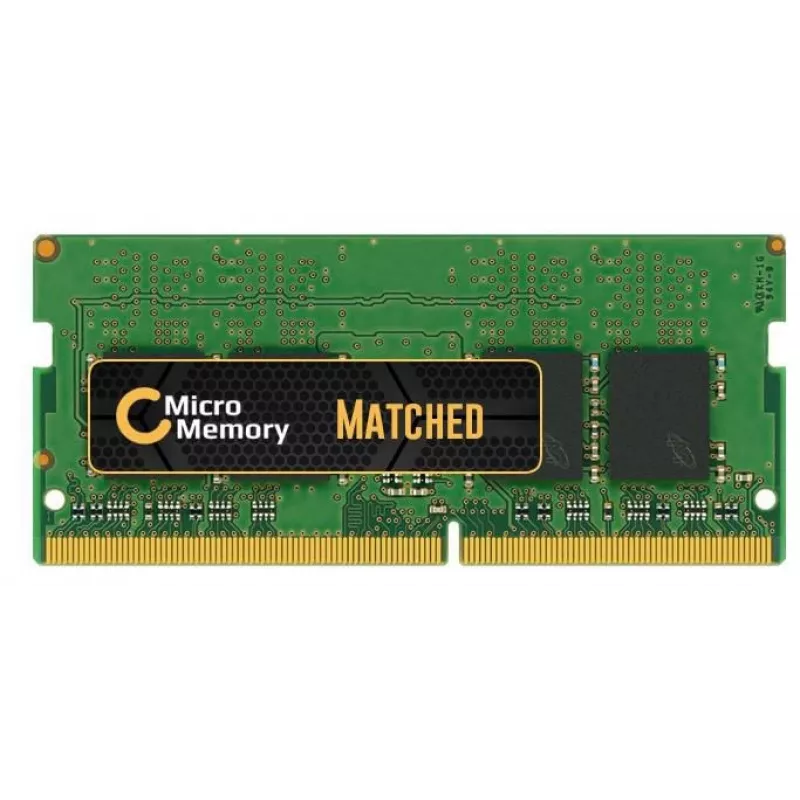
CoreParts MMLE070-8GB módulo de memoria 1 x 8 GB DDR4 260-pin SO-DIMM

CoreParts MMLE070-8GB módulo de memoria 1 x 8 GB DDR4 260-pin SO-DIMM
135,71 €
The CoreParts MMLE070-8GB is a single 8 GB DDR4 memory module for laptops, operating at 2400 MHz. Designed as a drop-in upgrade, this SO-DIMM compatible module matches standard DDR4 performance and offers straightforward installation to increase available system memory and improve multitasking and r... Leer más
Stock AgotadoSin stock Código 2405406 Marca COREPARTS Modelo MMLE070-8GB Garantía 2 años

Envíos y devoluciones

The CoreParts MMLE070-8GB is a single 8 GB DDR4 memory module for laptops, operating at 2400 MHz. Designed as a drop-in upgrade, this SO-DIMM compatible module matches standard DDR4 performance and offers straightforward installation to increase available system memory and improve multitasking and responsiveness. The module is finished in green and is supplied by CoreParts with original chip sets from certified manufacturers.

Advantages

This 8 GB DDR4 2400 MHz module provides stable performance for everyday laptop use and multitasking. As a single-module configuration it simplifies upgrades and replacement. The module uses original chip sets and meets common compatibility standards for DDR4 SO-DIMM memory, offering reliable operation and low power consumption compared with older memory types.

Suitable for

  • Upgrading laptop memory to 8 GB
  • Replacing a faulty or incompatible SO-DIMM DDR4 module
  • Improving multitasking and application responsiveness
  • Basic office work, web browsing and media playback

Key specifications

  • Brand: CoreParts
  • Model / MPN: MMLE070-8GB
  • Capacity: 8 GB
  • Type: DDR4 SO-DIMM
  • Speed: 2400 MHz
  • Colour: Green
  • Weight: 0.05 kg
  • EAN: 5706998872159

How to use

Power off the laptop and disconnect any power sources. Open the laptop memory bay according to the manufacturer’s instructions, remove the existing module if necessary, and align the notch on the SO-DIMM with the slot. Insert the CoreParts DDR4 module at a slight angle and press down until the side clips engage. Close the bay, reconnect power, and start the laptop. Verify the new memory is recognized in the system BIOS or operating system.

Recommendations

Ensure compatibility with your laptop by checking that it accepts DDR4 SO-DIMM modules and supports 2400 MHz speed. For dual-channel operation, install a matched module pair of the same capacity and speed. Handle the module by its edges and avoid static discharge by grounding yourself before installation.

Aspectos destacados
  • Upgrading laptop memory to 8 GB
  • Replacing a faulty or incompatible SO-DIMM DDR4 module
  • Improving multitasking and application responsiveness
  • Basic office work, web browsing and media playback
  • Brand: CoreParts
  • Model / MPN: MMLE070-8GB
  • Capacity: 8 GB
  • Type: DDR4 SO-DIMM
  • Speed: 2400 MHz
  • Colour: Green
  • Weight: 0.05 kg
  • EAN: 5706998872159
Especificaciones
Altura
140 mm
Altura del embalaje
140 mm
Ancho
80 mm
Ancho del embalaje
80 mm
Código del Sistema Armonizado (HS)
84733020
Color del producto
Green
Componente para
Laptop
Distribución de la memoria (módulos x capacidad)
1 x 8 GB
Formato de la memoria
260-pin SO-DIMM
Frecuencia de reloj de la memoria
2400 MHz
Memoria interna
8 GB
País de origen
China
Peso
50 g
Peso del embalaje
100 g
Profundidad
30 mm
Profundidad del embalaje
30 mm
Tipo de memoria interna
DDR4

Folleto

Abrir documento
El historial de precios aún no está disponible
Todavía estamos recopilando suficientes datos de precios diarios de este producto.

Productos populares en esta categoría

Vendedor: UAB KUR LT · Laisvės pr. 125A, LT-06118 Vilna, Lituania · Código de empresa 303192950 · NIF-IVA UE LT100008198612 · Envío desde la UE (Lituania)
Messenger
Hola, soy el asistente de IA de DistriNode. Puedo ayudarte a encontrar productos, comparar opciones, crear presupuestos en PDF o abrir solicitudes de soporte.