Cuenta Contacto
Tu carrito
Envío con DPD y FedEx
¿Dudas? Pregunte a la IA

DELL WD19S-180W con cable USB 3.2 Gen 2 (3.1 Gen 2) Type-C negro

DELL WD19S-180W con cable USB 3.2 Gen 2 (3.1 Gen 2) Type-C negro
251,68 €
Boost your PC’s power on the world’s most powerful and first modular dock with a future-ready design. WD19S 180W is a simplified version of WD19 180W without 3.5mm ports. Power your connections Power your day: Dell ExpressCharge allows you to charge up to 80% in one hour, maki... Leer más
Stock 17 Código 943370 Marca DELL Modelo DELL-WD19S180W Garantía 2 años

Envíos y devoluciones

Entrega estimada Jueves, Octubre 22
Te mantendremos informado a través de nuestro sistema de seguimiento detallado
Opciones de pago
Tarjeta bancariaVisaMastercardPayPalApple PayGoogle PayTransferencia bancaria
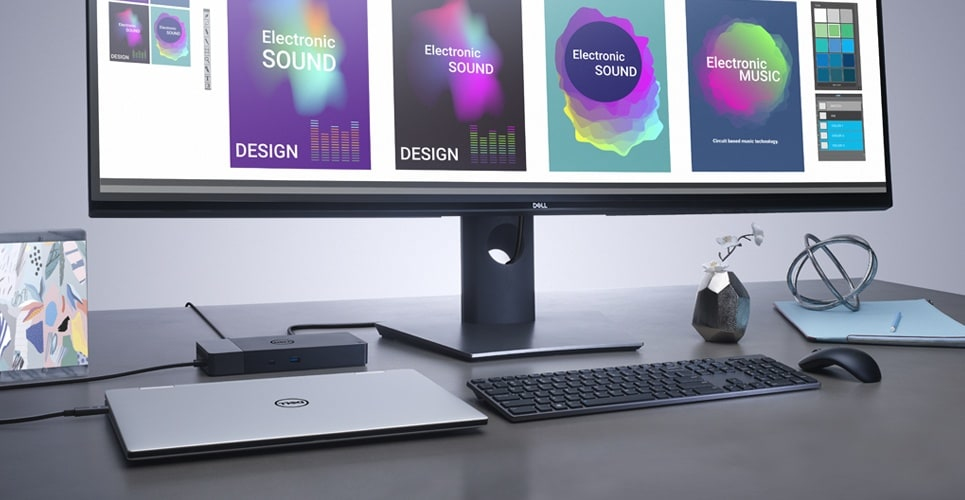
Boost your PC’s power on the world’s most powerful and first modular dock with a future-ready design. WD19S 180W is a simplified version of WD19 180W without 3.5mm ports.
Power your connections

Power your connections

Power your day: Dell ExpressCharge allows you to charge up to 80% in one hour, making it the most efficient way to manage the workday.Energize your workload: Get more done, even faster with Dell ExpressCharge Boost – a feature that provides up to a 35% charge in just 20 minutes.Unmatched charging: Increase your power delivery by up to 30% more than standard USB-C on our fastest charging family of docks, delivering 130W of power with the 180W adapter.

Built for the future

Mix and match: Evolve as your needs change with our most versatile dock. The future-ready design lets you swap out modules with ease if you need to do field replacements or upgrade your systems.Ultimate connectivity: USB-C connectivity makes it easier than ever to deliver power, data, audio and video in one convenient cable, no matter what system you use. Plus, with support for dual FHD or a single QuadHD monitor, you can connect to everything you need.Clean and clutter-free: Stay productive by mounting your dock behind your monitor or under your desk with the optional, secure VESA mount, that offers the complete flexibility with the built-in one-meter cable.Information in a flash: With data transfer speeds of up to 10Gbps, you can stay productive when connected to all your devices.
Built for the future
Optimize your workspace

Optimize your workspace

Smooth and seamless: Work without disruptions utilizing a single firmware on our most manageable docks ever. Plus, with Dell Client Command Suite and Microsoft System Center Configuration Manager, you can quickly and easily update your firmware without rebooting your dock.Secure manageability: Keep your information safe with MAC Address pass-thru and remote port-disablement. Plus, with features like PXE Boot, Wake-on-LAN and more, it’s easier than ever to stay productive while managing your dock.

How to use

Connect the dock to a compatible laptop using the USB-C cable, then attach external displays, Ethernet cable and USB peripherals to the corresponding ports. Ensure the dock is connected to AC power within the specified 120–230 V range to provide full 180W power delivery. Install any required Dell drivers or firmware updates on Windows 10 to enable optimal performance and display configurations.

Recommendations

For stable multi-monitor setups and full power delivery, use a USB-C port on the laptop that supports DisplayPort Alt Mode and power delivery. Keep firmware and drivers updated via Dell support to maintain compatibility and performance.

Aspectos destacados
  • Office and home workstations that require multiple external displays and wired networking
  • Users with Windows 10 laptops needing additional USB-A ports and Ethernet
  • Environments where a compact, single-cable docking solution is preferred
  • Model: DELL WD19S-180W (DELL-WD19S180W)
  • Connectivity: USB 3.2 Gen 2 Type-C (wired)
  • Power delivery: 180W, DC power source; AC input 120–230 V
  • Network: Ethernet LAN (RJ-45), 10/100/1000 Mbit/s
  • Display support: up to 5120 x 2880 pixels (digital)
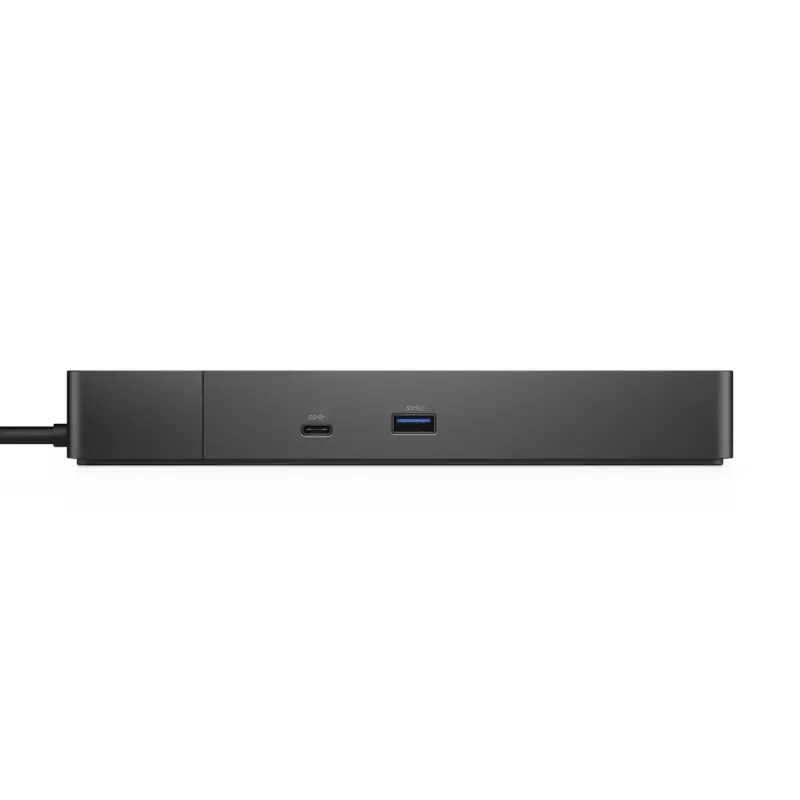
  • Ports: 1× HDMI, 1× RJ-45, 3× USB 3.2 Gen 1 Type-A
  • Operating system compatibility: Windows 10
  • Colour and weight: Black, 0.585 kg
Especificaciones
Altura
29 mm
Altura del embalaje
62 mm
Ancho
205 mm
Ancho del embalaje
300 mm
Cantidad por paquete
1 pc(s)
Código del Sistema Armonizado (HS)
84733020
Color del producto
Black
Conector de entrada de CC
Yes
Emisiones de carbono, consumo de energía (kg de CO2e)
5.95
Emisiones de carbono, fabricación (kg de CO2e)
25.6
Emisiones de carbono, fin de vida útil (kg de CO2e)
-2.42
Emisiones de carbono, logística (kg de CO2e)
6.61
Entrada de micrófono
No
Ethernet LAN
Yes
Frecuencia de entrada de CA
50 - 60 Hz
Fuente de alimentación
180 W
Huella de carbono total (kg de CO2e)
35.74
Humedad relativa de almacenamiento (H-H)
5 - 90%
Humedad relativa de funcionamiento (H-H)
10 - 80%
Indicadores LED
Yes
Interfaz de host
USB 3.2 Gen 2 (3.1 Gen 2) Type-C
Interruptor de encendido/apagado
Yes
Lector de tarjetas integrado
No
Longitud del cable de alimentación
1 m
Montaje VESA
Yes
Número de puertos DisplayPort
2
Número de puertos HDMI
1
Número de puertos USB 2.0
0
Número de puertos USB 3.2 Gen 1 (3.1 Gen 1) tipo A
3
Número de puertos USB 3.2 Gen 2 (3.1 Gen 2) tipo C
2
Peso
585 g
Profundidad
90 mm
Profundidad del embalaje
290 mm
Puertos Ethernet LAN (RJ-45)
1
Resolución digital máxima
5120 x 2880 pixels
Salidas de auriculares
0
Sistemas operativos Linux compatibles
Yes
Sistemas operativos Windows compatibles
Windows 10, Windows 10 Education, Windows 10 Education x64, Windows 10 Enterprise, Windows 10 Enterprise x64, Windows 10 Home, Windows 10 Home x64, Windows 10 IOT Core, Windows 10 IoT Enterprise, Windows 10 Pro, Windows 10 Pro x64, Windows 10 x64
Tecnología de conectividad
Wired
Temperatura de almacenamiento (T-T)
-20 - 60 °C
Temperatura de funcionamiento (T-T)
0 - 35 °C
Tensión de entrada de CA
120 - 230 V
Tipo de fuente de alimentación
DC
Velocidades de datos de Ethernet LAN
10,100,1000 Mbit/s
Versión de DisplayPort
1.4
Versión de HDMI
2.0
Versión PAIA
PAIA/GaBi not used

Documento

Abrir documento

Documento

Abrir documento

Documento

Abrir documento

Documento

Abrir documento

Documento

Abrir documento

Folleto

Abrir documento
Historial de precios de los últimos 6 meses
DELL WD19S-180W con cable USB 3.2 Gen 2 (3.1 Gen 2) Type-C negro
Actual
251,68 €
Mínimo
250,36 €
Máximo
288,58 €
Variación 24 h
+0,88 €   +0%
Semana
-0,47 €   0%
Mes
-2,92 €   -1%

Análisis independientes de medios tecnológicos

laptopmag.comAndrew
8/10

Veredicto: The Dell D3100 Docking Station is an affordable dock that supports three displays (one at 4K resolution) and has lots of port options...

Pros
  • Subtle design
  • Variety of Ports
  • Supports 4K and two FHD displays
Contras
  • No USB Type-C support
  • Some performance hiccups when using three displays
Lee el análisis completo en laptopmag.com →

Productos populares en esta categoría

Vendedor: UAB KUR LT · Laisvės pr. 125A, LT-06118 Vilna, Lituania · Código de empresa 303192950 · NIF-IVA UE LT100008198612 · Envío desde la UE (Lituania)
Hola, soy el asistente de IA de DistriNode. Puedo ayudarte a encontrar productos, comparar opciones, crear presupuestos en PDF o abrir solicitudes de soporte.