
Cuenta Contacto
Tu carrito
Envío con DPD y FedEx
¿Dudas? Pregunte a la IA

Docking station ASUS USB-C Stand DC310 con cable USB 3.2 Gen 2 (3.1 Gen 2) Type-C negro

Docking station ASUS USB-C Stand DC310 con cable USB 3.2 Gen 2 (3.1 Gen 2) Type-C negro
130,21 €
Elevated comfort, Enhanced productivityASUS USB-C Stand Dock is a sleek and ergonomic 10-in-1 docking station designed for enhanced productivity. It serves as an adjustable stand, elevating laptops to an ideal position for comfortable viewing. A pair of HDMI® ports help extend screens across two 4K ... Leer más
Stock 28 Código 1244486 Marca ASUS Modelo 90XB099N-BDS020 Garantía 2 años

Envíos y devoluciones

Entrega estimada Viernes, Octubre 16
Te mantendremos informado a través de nuestro sistema de seguimiento detallado
Opciones de pago
Tarjeta bancariaVisaMastercardPayPalApple PayGoogle PayTransferencia bancaria
Elevated comfort, Enhanced productivity
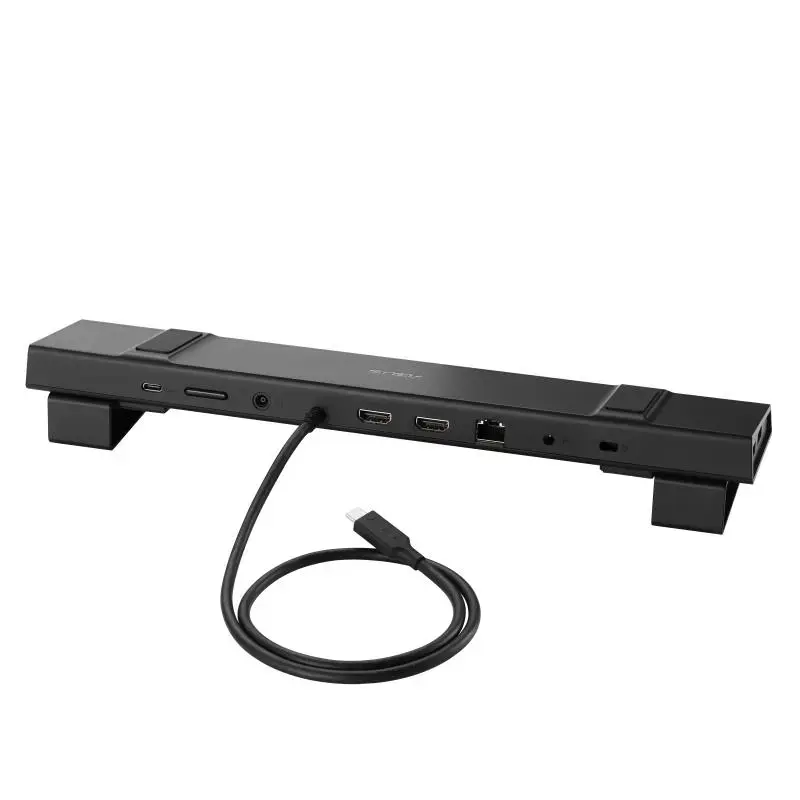
ASUS USB-C Stand Dock is a sleek and ergonomic 10-in-1 docking station designed for enhanced productivity. It serves as an adjustable stand, elevating laptops to an ideal position for comfortable viewing. A pair of HDMI® ports help extend screens across two 4K 60Hz displays, while four high-speed USB Type-A ports, 100W of charging power, and additional connectivity options transform any setup into an extremely versatile workstation.

DESIGN
Ergonomic comfort
The ergonomic ASUS USB-C Stand Dock offers two adjustable elevated positions for comfortable viewing.

PRODUCTIVITY
Dual 4K visuals
Two HDMI 2.0 ports enable ASUS USB-C Stand Dock to support up to two 4K 60Hz displays for seamless, efficient multitasking.

CONNECTIVITY
Multi-device connections
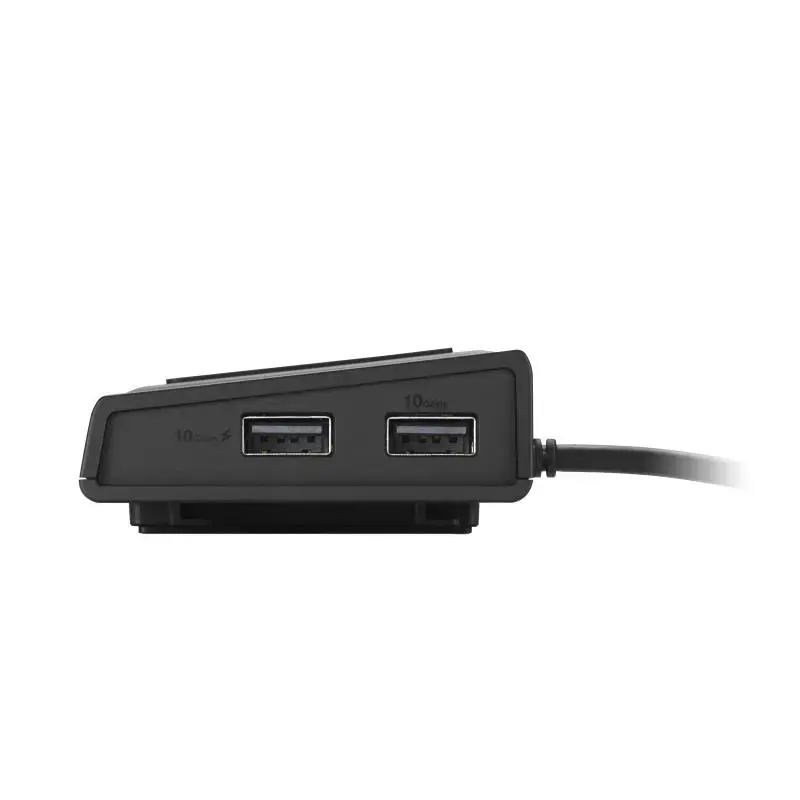
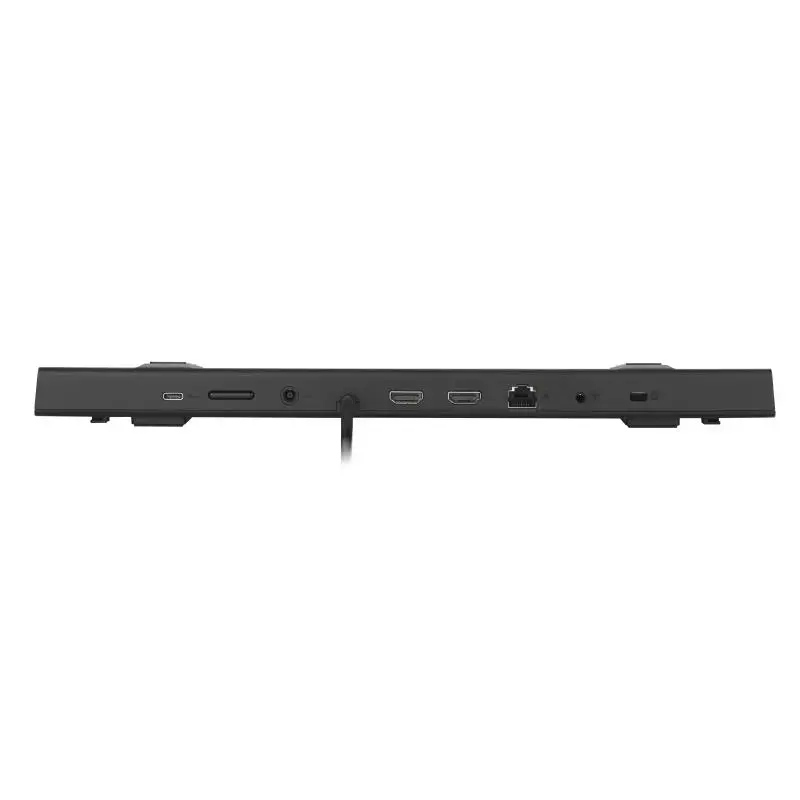
A comprehensive array of ports makes it easy to keep essential devices connected. Four high-speed USB Type-A ports, a USB Type-C® port, and a Gigabit Ethernet port seamlessly link peripherals and networks for streamlined workflows.1

SPEED
Fast transfers, powerful charging
Experience up to 10Gbps data transfers with USB 3.2 Gen 2 technology for seamless and efficient workflows. With up to 100W power delivery, ASUS USB-C Stand Dock keeps any connected laptop powered and ready for uninterrupted productivity.

SMART CONTROL
One-button wake-up & IT Management
With ASUS USB-C Stand Dock, it takes just one tap to wake a laptop and all connected displays — because the dock’s power button precisely mimics that of the laptop2. It also enables IT departments to remotely wake laptops that are in standby mode to apply updates and more, helping speed up routine admin and maintenance tasks.

One-button wake up
Pressing the dock’s power button wakes up the laptop and connected monitors.

Remote IT management
Wake-on-LAN (WoL), MAC Address Pass Through, and PXE can be enabled through the DC310 LAN port to allow easy remote device management.

ASUS USB-C Stand Dock DC310. Connectivity technology: Wired, Host interface: USB 3.2 Gen 2 (3.1 Gen 2) Type-C, USB Power Delivery up to: 100 W. Ethernet LAN data rates: 10,1000,100 Mbit/s. Product colour: Black, Data transfer rate: 10 Gbit/s, HD type: 4K Ultra HD. Power source type: DC, Power supply: 150 W, Output voltage: 20 V. Windows operating systems supported: Windows 10, Windows 11

How to use

Place the ASUS USB-C Stand Dock on a stable surface and set the laptop on the adjustable stand to achieve the desired viewing height. Connect the dock to your laptop using the upstream USB-C cable that supports data and power delivery. Attach external monitors to the HDMI ports, connect USB peripherals to the Type-A ports, plug a network cable into the RJ45 port if required, and use the audio jack for headphones or speakers. Ensure your laptop’s USB-C port supports DisplayPort Alt Mode and power delivery for full functionality.

Recommendations

For reliable dual 4K 60Hz output and charging, use a USB-C cable rated for power delivery and data, and verify your laptop supports DisplayPort Alt Mode and sufficient USB-C power input. Place the dock on a flat surface and avoid obstructing ventilation areas on your laptop while using the stand.

Aspectos destacados
  • Home office and remote workstations that need extra ports and an elevated laptop position
  • Small office setups requiring dual external monitors and wired network access
  • Users who connect multiple USB peripherals (keyboard, mouse, external drives, printers)
  • Presentations or desk setups where an adjustable laptop stand improves ergonomics
  • Model: DC310 (90XB099N-BDS020)
  • Colour: Black
  • Ports: 2 × HDMI, 4 × USB 3.2 Type-A, 1 × USB-C (upstream), 1 × RJ45 (Gigabit), 1 × audio port
  • Video: Supports up to two 4K 60Hz displays via HDMI
  • Power delivery: Up to 100W via USB-C input
  • Net weight: 0.514 kg
Especificaciones
Adaptador de corriente incluido
Yes
Altura
29.6 mm
Ancho
334.9 mm
Cantidad por paquete
1 pc(s)
Color del producto
Black
Compatible con Wake-on-LAN
Yes
Conector de entrada de CC
Yes
Corriente de salida
7.5 A
Entrada de micrófono
No
Ethernet LAN
Yes
Frecuencia de refresco máxima
60 Hz
Fuente de alimentación
150 W
Interfaz de host
USB 3.2 Gen 2 (3.1 Gen 2) Type-C
Interruptor de encendido/apagado
Yes
Lector de tarjetas integrado
No
Longitud del cable USB
0.65 m
Material de la carcasa
Plastic, Metal
Número de pantallas compatibles
2
Número de puertos HDMI
2
Número de puertos USB 2.0
0
Número de puertos USB 3.2 Gen 1 (3.1 Gen 1) tipo A
2
Número de puertos USB 3.2 Gen 2 (3.1 Gen 2) tipo A
2
Número de puertos USB 3.2 Gen 2 (3.1 Gen 2) tipo C
1
Peso
422 g
Profundidad
66.2 mm
Puerto combinado de auriculares/micrófono
Yes
Puertos Ethernet LAN (RJ-45)
1
Ranura para cable de seguridad
Yes
Resolución digital máxima
3840 x 2160 pixels
Salidas de auriculares
0
Sistemas operativos Mac compatibles
Yes
Sistemas operativos Windows compatibles
Windows 10, Windows 11
Tecnología de conectividad
Wired
Tensión de salida
20 V
Tipo de fuente de alimentación
DC
Tipo de HD
4K Ultra HD
Tipo de ranura para cable de seguridad
Kensington
USB Power Delivery (USB PD)
Yes
USB Power Delivery hasta
100 W
Velocidad de transferencia de datos
10 Gbit/s
Velocidades de datos de Ethernet LAN
10,1000,100 Mbit/s
Versión de HDMI
2.0
Historial de precios de los últimos 6 meses
Docking station ASUS USB-C Stand DC310 con cable USB 3.2 Gen 2 (3.1 Gen 2) Type-C negro
Actual
130,21 €
Mínimo
128,38 €
Máximo
155,44 €
Variación 24 h
+1,54 €   +1%
Semana
+1,28 €   +1%
Mes
-0,61 €   0%

Productos populares en esta categoría

Hola, soy el asistente de IA de DistriNode. Puedo ayudarte a encontrar productos, comparar opciones, crear presupuestos en PDF o abrir solicitudes de soporte.