
Cuenta Contacto
Tu carrito
Envío con DPD y FedEx
¿Dudas? Pregunte a la IA

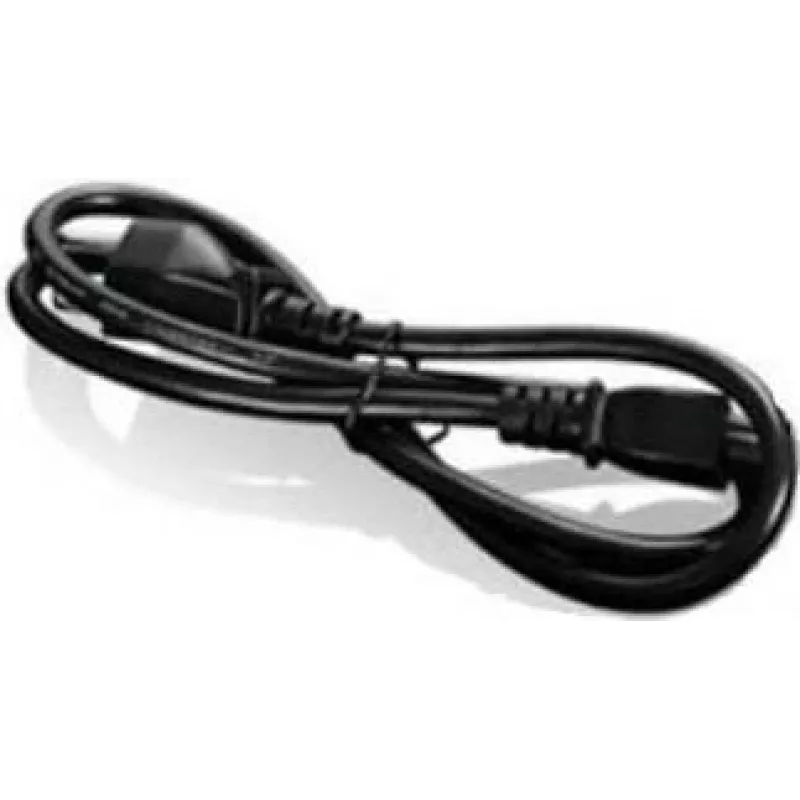
Lenovo FRU00XL075 pieza de repuesto para portátil cable

Lenovo FRU00XL075 pieza de repuesto para portátil cable
34,80 €
The Lenovo FRU00XL075 cable for ThinkPad T470 is a replacement internal cable designed to restore connectivity and proper function in compatible Lenovo laptops. This spare part is intended to match the original equipment's form and electrical connections, providing a direct substitution for a worn, ... Leer más
Stock 8 Código 1523822 Marca LENOVO Modelo FRU00XL075 Garantía 2 años

Envíos y devoluciones

Entrega estimada Martes, Octubre 27
Te mantendremos informado a través de nuestro sistema de seguimiento detallado
Opciones de pago
Tarjeta bancariaVisaMastercardPayPalApple PayGoogle PayTransferencia bancaria

The Lenovo FRU00XL075 cable for ThinkPad T470 is a replacement internal cable designed to restore connectivity and proper function in compatible Lenovo laptops. This spare part is intended to match the original equipment's form and electrical connections, providing a direct substitution for a worn, damaged, or missing cable in the ThinkPad T470 model range.

Advantages

This cable is produced to meet Lenovo's standards for durability and reliability and is suitable as an original replacement part for the ThinkPad T470. It provides a factory-compatible fit and maintains the laptop's intended signal and power routing. Using a matching replacement cable reduces the risk of intermittent connections and supports stable device operation.

Suitable for

  • Repairing a ThinkPad T470 with a damaged or non-functional internal cable
  • Replacing an original cable that shows wear, breakage, or connector damage
  • Service and refurbishment of Lenovo ThinkPad T470 laptops

Key specifications

  • Compatibility: Designed for Lenovo ThinkPad T470 laptops
  • Type: Internal replacement cable for laptop component connectivity
  • Form factor: OEM-style cable matching original routing and connectors
  • Purpose: Restores original electrical and signal connections within the device

How to use

Power off the laptop and disconnect it from any power source before beginning the replacement. Access the internal compartment according to the ThinkPad T470 service manual or an approved repair guide, remove the damaged cable carefully from its connectors and routing clips, and install the Lenovo FRU00XL075 cable in the same orientation and routing as the original. Ensure all connectors are fully seated and any retention mechanisms are secured, then reassemble the device and power it on to verify correct operation.

Recommendations

Use compatible tools and follow Lenovo's service procedures or a qualified technician's instructions when replacing internal laptop components. Handle the cable by its connectors where possible to avoid stressing the wiring, and confirm compatibility with the ThinkPad T470 model before installation.

Aspectos destacados
  • Repairing a ThinkPad T470 with a damaged or non-functional internal cable
  • Replacing an original cable that shows wear, breakage, or connector damage
  • Service and refurbishment of Lenovo ThinkPad T470 laptops
  • Compatibility: Designed for Lenovo ThinkPad T470 laptops
  • Type: Internal replacement cable for laptop component connectivity
  • Form factor: OEM-style cable matching original routing and connectors
  • Purpose: Restores original electrical and signal connections within the device
Especificaciones
Cantidad por paquete
1 pc(s)
Color del producto
Black
Compatibilidad
ThinkPad T470
Compatibilidad con marcas
Lenovo
Longitud del cable
1 m
Tipo
Cable
Tipo de embalaje
Box

Folleto

Abrir documento
Historial de precios de los últimos 6 meses
Lenovo FRU00XL075 pieza de repuesto para portátil cable
Actual
34,80 €
Mínimo
34,26 €
Máximo
37,76 €
Variación 24 h
+0,36 €   +1%
Semana
+0,07 €   +0%
Mes
-2,78 €   -7%

Productos populares en esta categoría

Hola, soy el asistente de IA de DistriNode. Puedo ayudarte a encontrar productos, comparar opciones, crear presupuestos en PDF o abrir solicitudes de soporte.