
Cuenta Contacto
Tu carrito
Envío con DPD y FedEx
¿Dudas? Pregunte a la IA

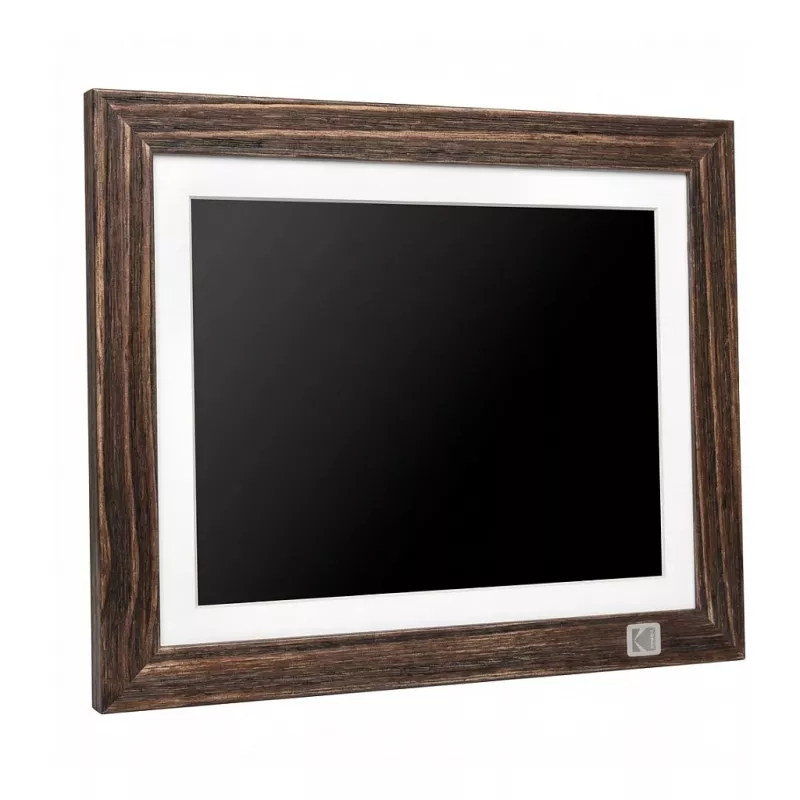
Marco de fotos digital Kodak HDPF-978 WiFi 9 pulgadas — Kodak HDPF-978BROWN

Marco de fotos digital Kodak HDPF-978 WiFi 9 pulgadas — Kodak HDPF-978BROWN
85,29 €
Kodak HDPF-978 is a 9-inch digital photo frame with WiFi connectivity designed to display photos and slideshows. The frame provides a continuous, high-definition display for personal and professional images and supports wireless updates over a network to simplify sharing and remote photo transfer. T... Leer más
Stock AgotadoSin stock Código 1397968 Marca KODAK Modelo HDPF-978BROWN Garantía 2 años

Envíos y devoluciones

Kodak HDPF-978 is a 9-inch digital photo frame with WiFi connectivity designed to display photos and slideshows. The frame provides a continuous, high-definition display for personal and professional images and supports wireless updates over a network to simplify sharing and remote photo transfer. The compact design and neutral finish suit home and office environments where a dedicated device for image presentation is required.

Advantages

The WiFi-enabled digital frame enables cordless photo updates and remote content management, reducing the need for physical media or repeated manual transfers. Its 9-inch display offers a balance between tabletop visibility and compact footprint, allowing flexible placement on shelves, desks, or counters. Built to present continuous slideshows, the device simplifies photo organization and regular display of current images without printing.

Suitable for

  • Displaying family photos and travel images in living rooms or bedrooms
  • Rotating product or promotional images in small office reception areas
  • Remote sharing of photos from multiple contributors via network connection
  • Continuous slideshow presentations on a desk, shelf, or mantelpiece

Key specifications

  • Display size: 9-inch screen suitable for tabletop placement
  • Connectivity: WiFi for wireless photo transfer and remote updates
  • Primary function: photo display and slideshow playback
  • Placement: designed for home and office environments with compact footprint

How to use

Set the Kodak HDPF-978 on a stable surface and connect it to a power source. Use the built-in WiFi setup to connect the frame to a local network, then follow on-screen or app instructions to pair devices and transfer photos. Configure slideshow settings such as image order and display duration through the frame interface or companion application. The frame will display selected images continuously according to the configured slideshow options.

Recommendations

For best results, connect the frame to a secure WiFi network and keep the companion app or account access information up to date to manage permissions for contributors. Place the frame away from direct sunlight to maintain screen visibility and reduce glare.

Aspectos destacados
  • Displaying family photos and travel images in living rooms or bedrooms
  • Rotating product or promotional images in small office reception areas
  • Remote sharing of photos from multiple contributors via network connection
  • Continuous slideshow presentations on a desk, shelf, or mantelpiece
  • Display size: 9-inch screen suitable for tabletop placement
  • Connectivity: WiFi for wireless photo transfer and remote updates
  • Primary function: photo display and slideshow playback
  • Placement: designed for home and office environments with compact footprint
Historial de precios de los últimos 6 meses
Marco de fotos digital Kodak HDPF-978 WiFi 9 pulgadas — Kodak HDPF-978BROWN
Actual
85,29 €
Mínimo
80,87 €
Máximo
95,10 €
Variación 24 h
+1,27 €   +2%
Semana
+1,44 €   +2%
Mes
+1,58 €   +2%

Productos populares en esta categoría

Vendedor: UAB KUR LT · Laisvės pr. 125A, LT-06118 Vilna, Lituania · Código de empresa 303192950 · NIF-IVA UE LT100008198612 · Envío desde la UE (Lituania)
Hola, soy el asistente de IA de DistriNode. Puedo ayudarte a encontrar productos, comparar opciones, crear presupuestos en PDF o abrir solicitudes de soporte.