Cuenta Contacto
Tu carrito
Envío con DPD y FedEx
¿Dudas? Pregunte a la IA

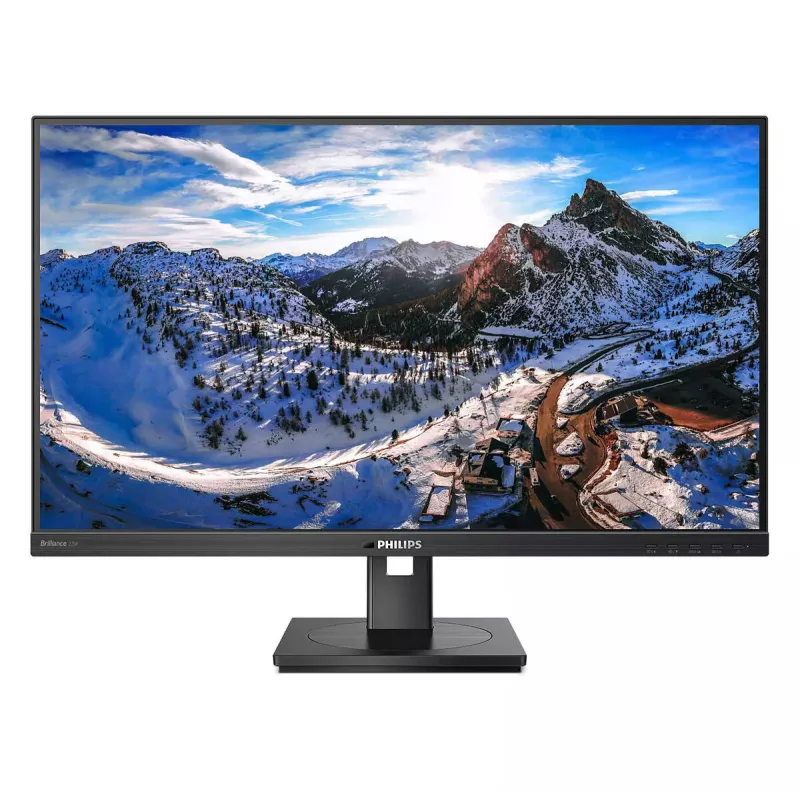
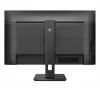
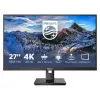
Philips 279P1/00 Monitor de ordenador 68,6 cm (27") 3840 x 2160 píxeles 4K Ultra HD LED Negro

Philips 279P1/00 Monitor de ordenador 68,6 cm (27
36 mes
Philips 279P1/00 Monitor de ordenador 68,6 cm (27
Philips 279P1/00 Monitor de ordenador 68,6 cm (27") 3840 x 2160 píxeles 4K Ultra HD LED Negro
443,80€
This Philips monitor offers 90W power delivery and a simple laptop docking solution. View UHD images, recharge a laptop and stay connected to Ethernet, all at the same time with a single USB-C cable. Eye comfort with TUV certification to reduce eye fatigue. USB-C enables laptop p... Leer más
Disponibilidad 2 Código 4320 Marca PHILIPS Modelo 279P1/00 Garantía 3 años

Envíos y devoluciones

Entrega estimada Martes, Octubre 13
Te mantendremos informado a través de nuestro sistema de seguimiento detallado
Opciones de pago
Tarjeta bancariaVisaMastercardPayPalApple PayGoogle PayTransferencia bancaria
This Philips monitor offers 90W power delivery and a simple laptop docking solution. View UHD images, recharge a laptop and stay connected to Ethernet, all at the same time with a single USB-C cable. Eye comfort with TUV certification to reduce eye fatigue.
USB-C enables laptop power charging directly from a monitor

USB-C enables laptop power charging directly from a monitor

This Philips display features a built-in USB type-C docking station with power delivery. With intelligent and flexible power management, you can power charge your compatible* laptop directly. Its slim, reversible USB-C connector allows for easy, one-cable docking. Simplify by connecting all your peripherals like keyboard, mouse and your RJ-45 Ethernet cable to the monitor's docking station. You can watch high-resolution video and transfer data at super-speed, while powering up and re-charging your notebook at the same time.

UltraClear 4K UHD (3840 x 2160) resolution for precision

These Philips displays utilise high-performance panels to deliver UltraClear, 4K UHD (3840 x 2160) resolution images. Whether you are a demanding professional requiring extremely detailed images for CAD solutions, a user of 3D graphics applications or a financial wizard working on huge spreadsheets, Philips displays will make your images and graphics come alive.
UltraClear 4K UHD (3840 x 2160) resolution for precision
TUV Eye Comfort certified to reduce eye fatigue

TUV Eye Comfort certified to reduce eye fatigue

Philips display meet TUV Rheinland Eye Comfort standard to prevent eye strain caused by prolonged computer use. With TUV Eye Comfort certification, Philips displays ensure flicker-free, low blue mode, no disturbing reflections, wide viewing angle and less reduction of image quality from different angles and ergonomic stand designs for ideal viewing experience. Keep your eyes healthy and boost work productivity.

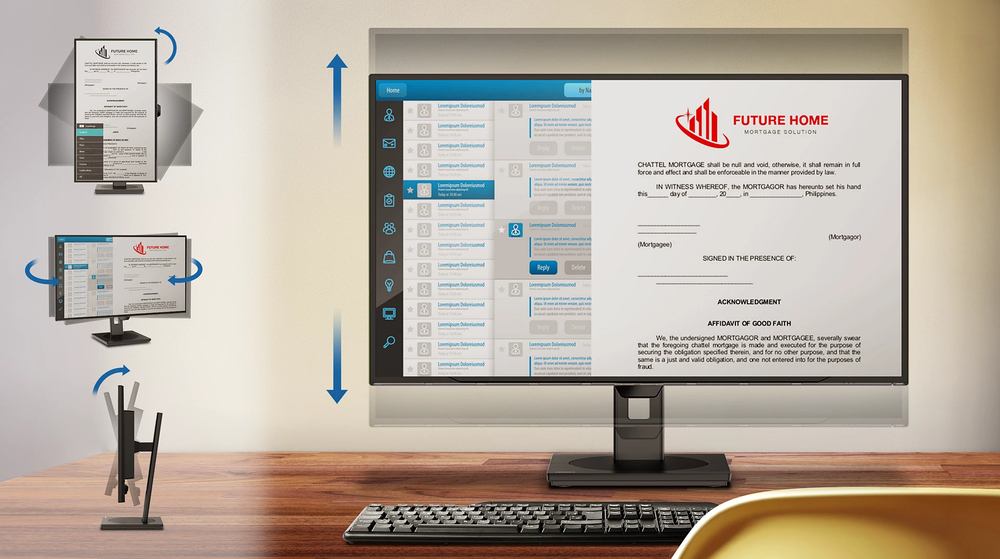
SmartErgoBase enables people-friendly ergonomic adjustments

The SmartErgoBase is a monitor base that delivers ergonomic display comfort and provides cable management. The base can swivel, tilt and rotate to various angles to ensure maximum comfort. The height adjustable stand guarantees the optimal viewing level, reducing the physical strains of a long workday, while cable management reduces cable clutter and keeps the workspace neat and professional.
SmartErgoBase enables people-friendly ergonomic adjustments
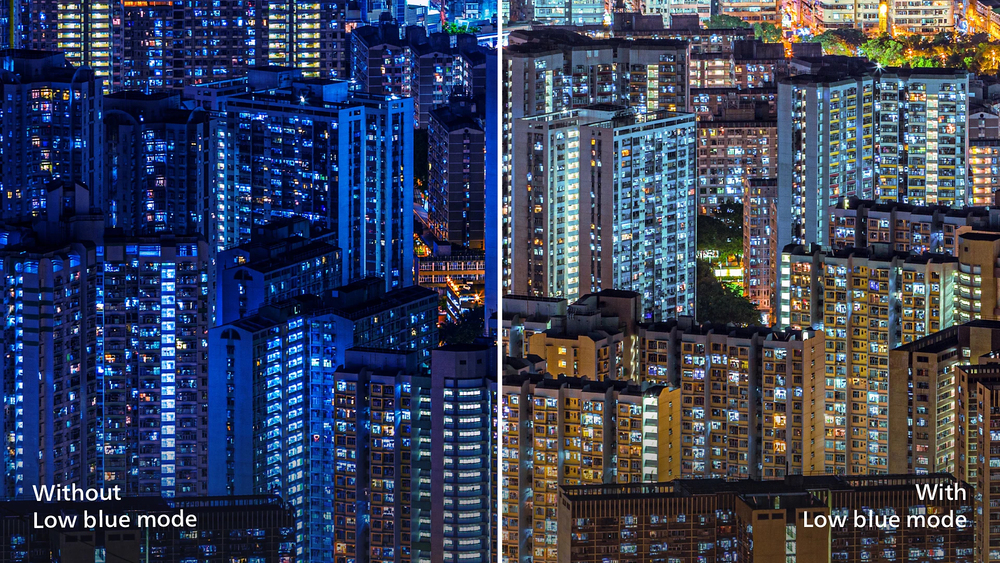
LowBlue Mode for easy on-the-eyes productivity

LowBlue Mode for easy on-the-eyes productivity

Studies have shown that just as ultra-violet rays can cause eye damage, shortwave length blue light rays from LED displays can cause eye damage and affect vision over time. Developed for wellbeing, Philips LowBlue Mode setting uses a smart software technology to reduce harmful shortwave blue light.

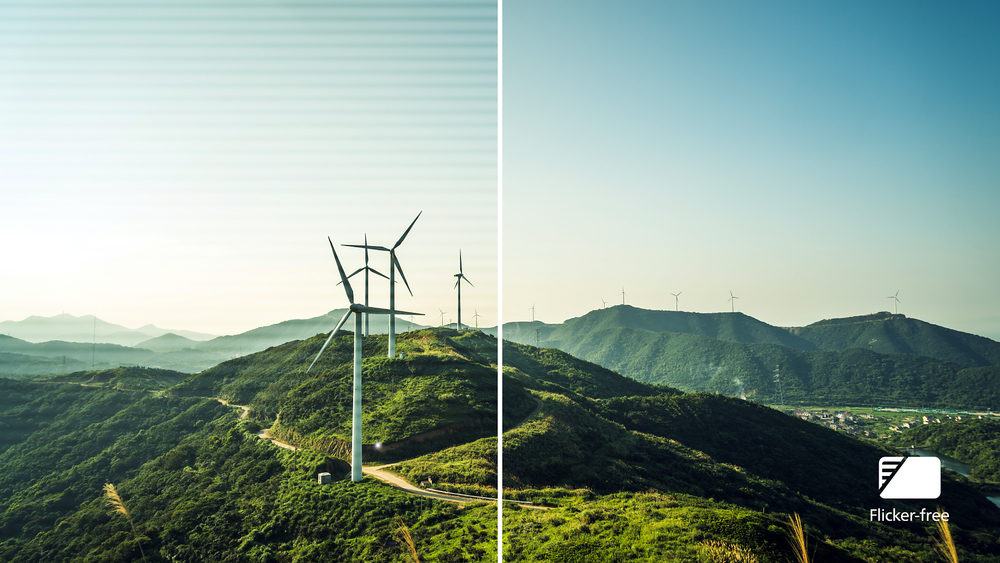
Less eye fatigue with Flicker-free technology

Due to the way brightness is controlled on LED-backlit screens, some users experience flicker on their screen which causes eye fatigue. Philips Flicker-free Technology applies a new solution to regulate brightness and reduce flicker for more comfortable viewing.
Less eye fatigue with Flicker-free technology
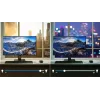
LightSensor for the perfect brightness with minimal power

LightSensor for the perfect brightness with minimal power

LightSensor uses a smart sensor to adjust the picture brightness depending on the room light conditions for the perfect picture with minimal power usage.

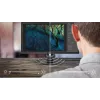
PowerSensor saves up to 80% energy costs

PowerSensor is a built-in 'people sensor' that transmits and receives harmless infrared signals to determine if user is present and automatically reduces monitor brightness when user steps away from the desk, cutting energy costs by up to 80 percent and prolonging monitor life
PowerSensor saves up to 80% energy costs

How to use

Connect your laptop to the monitor using a single USB-C cable to enable 4K video output, network access and up to 90W charging simultaneously. Use the monitor's on-screen display to adjust brightness, colour settings and enable eye comfort modes as needed. Configure your operating system display settings for optimal resolution and scaling when using 4K. For mounting, either place the monitor on its stand and adjust height ergonomically or attach a VESA-compatible mount.

Recommendations

For stable network performance and reliable laptop charging, use a USB-C cable that supports USB 3.2 Gen 2 and power delivery. To reduce eye strain during long sessions, enable the TUV-certified eye comfort mode and set an appropriate screen brightness for ambient lighting.

Aspectos destacados
  • Home and office productivity with laptop docking via USB-C
  • Content creation and photo/video review requiring 4K resolution and accurate colours
  • Video conferencing and multimedia with built-in speakers and Ethernet connectivity
  • Screen size: 27" (68.6 cm)
  • Resolution: 3840 x 2160 (4K Ultra HD)
  • Panel type: IPS, LED backlight
  • Response time: 4 ms
  • Brightness (typical): 350 cd/m²
  • Contrast ratio (typical): 1000:1
  • Aspect ratio: 16:9
  • Built-in features: USB 3.2 Gen 2 hub, speakers, Ethernet via USB-C
  • Power delivery: USB-C up to 90W
  • Ergonomics: Height adjustment, VESA mount compatible
  • Colour: Black
Especificaciones
Ajuste de altura
Yes
Ajuste de inclinación
Yes
Altavoces integrados
Yes
Altitud de funcionamiento
0 - 3658
Altitud fuera de funcionamiento
0 - 12192
Altura (con soporte)
537 mm
Altura (sin soporte)
366 mm
Altura ajustable (máx.)
150 mm
Altura del embalaje
471 mm
AMD FreeSync
No
Ancho (con soporte)
613 mm
Ancho (sin soporte)
613 mm
Ancho del embalaje
730 mm
Ángulo de pivote
-90 - 90
Ángulo de visión horizontal
178 °
Ángulo de visión vertical
178 °
Brillo de la pantalla (típico)
350 cd/m²
Cables incluidos
HDMI, DisplayPort, USB Type-C, AC
Cámara integrada
No
Certificación
cETLus, CB, TUV/GS, TUV Ergo, SEMKO, CU-EAC, EAEU RoHS, CE Mark, UKRAINIAN, FCC Class B, ICES-003, TUV Eye Comfort certified
Certificados de conformidad
RoHS
Certificados de sostenibilidad
ENERGY STAR, TCO
Clase de eficiencia energética (SDR)
G
Cobertura NTSC (típica)
93 %
Cobertura sRGB (típica)
112 %
Código del Sistema Armonizado (HS)
85285210
Color de las patas
Black
Color del marco frontal
Black
Color del producto
Black
Compatibilidad con HBR3
Yes
Concentrador USB integrado
Yes
Consumo de energía (apagado)
0 W
Consumo de energía (en espera)
0.3 W
Consumo de energía (PowerSave)
20.9 W
Consumo de energía (SDR) por 1000 horas
30 kWh
Consumo de energía (típico)
25.9 W
DDC/CI
Yes
Delta E
2
Densidad de píxeles
163 ppi
Diagonal de pantalla
27 "
Diagonal de pantalla (métrica)
68.6 cm
Distancia entre píxeles
0.155 x 0.155
Dureza de la superficie
3H
Escala de eficiencia energética
A to G
Estándar de gama de color
sRGB
Ethernet LAN
Yes
European Product Registry for Energy Labelling (EPREL) code
416782
Forma de la pantalla
Flat
Frecuencia de entrada de CA
50 - 60
Frecuencia de refresco máxima
60 Hz
Frecuencia horizontal digital
30 - 140
Frecuencia vertical digital
23 - 60
Gama de color
103 %
HDCP
Yes
HDMI
Yes
Homologaciones reglamentarias
cETLus; CB; TUV/GS; TUV Ergo; SEMKO; CU-EAC; EAEU RoHS; CE Mark; UKRAINIAN; FCC Class B; ICES-003; TUV Eye Comfort certified
Humedad relativa de funcionamiento (H-H)
20 - 80
Idiomas del menú en pantalla (OSD)
CHI (SIMPL), CHI (TR), CZE, DEU, DUT, ENG, ESP, FIN, FRE, GRE, HUN, ITA, JPN, KOR, POL, POR, RUS, SWE, TUR, UKR
Indicadores LED
Operation, Stand-by
Índice de turbidez (haze)
25 %
Interfaz de montaje en panel
100 x 100
Manual
Yes
Material de embalaje reciclable
100 %
Mejora de imagen
SmartImage
Menú en pantalla (OSD)
Yes
Modo alternativo DisplayPort por USB tipo C
Yes
Modo EasyRead
Yes
Modo LowBlue
Yes
Montaje VESA
Yes
No contiene
Mercury (element), PVC/BFR
Nombre comercial de la relación de contraste dinámico
SmartContrast
Número de altavoces
2
Número de colores de la pantalla
1.07 billion colours
Número de puertos ascendentes
1
Número de puertos DisplayPort
1
Número de puertos HDMI
2
Número de puertos USB tipo C ascendentes
1
Número de puertos VGA (D-Sub)
0
NVIDIA G-SYNC
No
Pantalla antirreflejo
Yes
Pantalla táctil
No
Peso (con soporte)
7520 g
Peso (sin soporte)
5730 g
Peso del embalaje
11200 g
Philips SmartUniformity
97 - 102
Pivotante
Yes
Pivotante
Yes
Plástico reciclado posconsumo
85 %
Plug and Play
Yes
Posicionamiento en el mercado
Home
Potencia nominal RMS
6 W
Profundidad (con soporte)
225 mm
Profundidad (sin soporte)
54 mm
Profundidad del embalaje
193 mm
Puerto DVI
No
Rango de ángulo de giro
-180 - 180
Rango de ángulo de inclinación
-5 - 35
Rango de frecuencia horizontal
30 - 140
Rango de frecuencia vertical
23 - 60
Ranura para cable de seguridad
Yes
Relación de aspecto
16:9
Relación de aspecto nativa
16:9
Relación de contraste (dinámica)
50000000:1
Relación de contraste (típica)
1000:1
Resolución de pantalla
3840 x 2160
Resoluciones gráficas compatibles
3840 x 2160
Revisión de USB Power Delivery
3.0
Salida de audio
Yes
Sensor de luz
Yes
Sin metales pesados
Hg (mercury), Pb (lead)
Sincronización de vídeo por componentes
Separate sync
SmartResponse
4 ms
Software incluido
SmartControl
Soporte incluido
Yes
sRGB de la pantalla
Yes
Tamaño visible, horizontal
596.736 mm
Tamaño visible, vertical
335.664 mm
Tecnología de pantalla
LED
Tecnología Low Blue Light
Yes
Tecnología sin parpadeo
Yes
Temperatura de almacenamiento (T-T)
-20 - 60
Temperatura de funcionamiento (T-T)
0 - 40
Tensión de entrada de CA
100 - 240
Tiempo de respuesta
4 ms
Tiempo medio entre fallos (MTBF)
70000 h
Tipo de acabado exterior
Textured
Tipo de embalaje
Box
Tipo de fuente de alimentación
Internal
Tipo de HD
4K Ultra HD
Tipo de panel
IPS
Tipo de puerto USB ascendente
USB Type-C
Tipo de ranura para cable de seguridad
Kensington
Tipo de retroiluminación
W-LED
USB Power Delivery (USB PD)
Yes
USB Power Delivery hasta
90 W
Velocidades de datos de Ethernet LAN
10, 100, 1000
Versión de DisplayPort
1.4
Versión de HDCP
2.2
Versión de HDMI
2.0
Versión del concentrador USB
3.2 Gen 2 (3.1 Gen 2)
Wake-on-LAN
Yes

Etiqueta energética

Abrir documento

Documento

Abrir documento

Folleto

Abrir documento
Historial de precios de los últimos 6 meses
Philips 279P1/00 Monitor de ordenador 68,6 cm (27") 3840 x 2160 píxeles 4K Ultra HD LED Negro
Actual
443.80€
Mínimo
352.45€
Máximo
750.07€
Variación 24 h
+91.35€   +26%
Semana
+23.71€   +6%
Mes
+15.72€   +4%

Análisis independientes de medios tecnológicos

pcmag.comTony
9/10

“The monitor you're using right now might have come bundled with your desktop PC, or maybe you bought it back when 1,280 by 1,024 was considered "high resolution." Since you spend a huge part of every day looking at your screen, it pays to be picky when…”

Lee el análisis completo en pcmag.com →
pcmag.comChris
9/10

“Whether it's for gaming, office productivity, or creative work—or just to stream your favorite movies—a 4K monitor is a must-have upgrade for some shoppers. But the 4K monitors on the market today are far from alike.”

Lee el análisis completo en pcmag.com →
tomshardware.comMike
8/10

Veredicto: The Philips Brilliance 279P1 is a middle-of-the-road monitor with solid build quality, good image quality and color coverage and decent accuracy. It excels with its four downstream USB 3.2 ports and USB Type-C port. Combined with a versatile stand, the th...

Pros
  • Great, adjustable stand
  • Built-in USB hub to charge devices
  • Thin bezels
  • Accurate grayscale tracking
Contras
  • Clunky OSD
  • No HDR
  • Contrast could be higher
Lee el análisis completo en tomshardware.com →
pcmag.comTony
9/10

Veredicto: Chock-full of features and shining with solid brightness and color coverage, the Philips Brilliance 279P1 is an excellent entry in the growing category of docking-station monitors...

Pros
  • IPS screen with UHD resolution
  • High pixel density
  • Excellent sRGB color coverage
  • Ergonomically superior stand
  • USB hub and built-in speakers
  • Four-year warranty
Contras
  • Buttons for OSD control are less than ideal
Lee el análisis completo en pcmag.com →
Hola, soy el asistente de IA de DistriNode. Puedo ayudarte a encontrar productos, comparar opciones, crear presupuestos en PDF o abrir solicitudes de soporte.