
Cuenta Contacto
Tu carrito
Envío con DPD y FedEx
¿Dudas? Pregunte a la IA

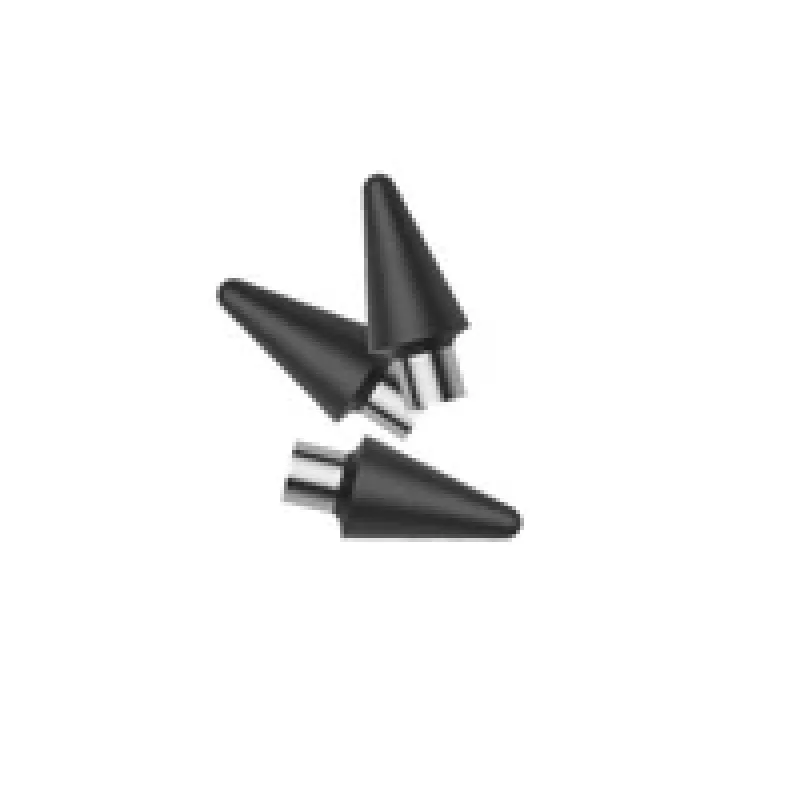
Punta de repuesto para stylus TUCANO MA-USTYTIP-BK para Pencil Stylus Pen

Punta de repuesto para stylus TUCANO MA-USTYTIP-BK para Pencil Stylus Pen
17,19 €
The Stylus Replacement Tip TUCANO MA-USTYTIP-BK for Pencil Stylus Pen is a genuine spare part designed to restore the original touch responsiveness and precision of compatible TUCANO stylus pencils. It replaces worn or damaged tips to bring back accurate tracking and a natural feel on capacitive tou... Leer más
Stock 18 Código 1220468 Marca TUCANO Modelo MA-USTYTIP-BK Garantía 2 años

Envíos y devoluciones

Entrega estimada Martes, Octubre 20
Te mantendremos informado a través de nuestro sistema de seguimiento detallado
Opciones de pago
Tarjeta bancariaVisaMastercardPayPalApple PayGoogle PayTransferencia bancaria

The Stylus Replacement Tip TUCANO MA-USTYTIP-BK for Pencil Stylus Pen is a genuine spare part designed to restore the original touch responsiveness and precision of compatible TUCANO stylus pencils. It replaces worn or damaged tips to bring back accurate tracking and a natural feel on capacitive touchscreens, helping maintain smooth handwriting, drawing, and navigation performance.

Advantages

This replacement tip is manufactured to match the shape and dimensions of the original TUCANO pencil tip, ensuring consistent contact with the display and predictable pressure response. The material and finish are selected to minimise dragging and preserve screen protection while delivering reliable stroke accuracy. Using a dedicated replacement tip prolongs the usable life of the stylus and avoids the need to replace the complete pen.

Suitable for

  • Restoring accuracy of a worn TUCANO Pencil stylus
  • Replacing damaged tips after drops or heavy use
  • Maintaining precise input for drawing, note-taking, and handwriting
  • Workshops or repair services that service stylus accessories

Key specifications

  • Compatible form factor designed for TUCANO Pencil stylus
  • Material optimised for capacitive touchscreens
  • Geometry and finish that preserve tracking precision
  • Colour: black

How to use

Remove the worn tip from the stylus by gently pulling it straight off the shaft according to the stylus manufacturer’s guidance. Align the replacement tip with the stylus shaft and push it in firmly until it seats securely; avoid forcing at an angle. After installation, test the tip on a touchscreen to confirm smooth contact and correct tracking. If the stylus has specific instructions for tip replacement from TUCANO, follow those steps to ensure proper installation.

Recommendations

Replace the tip at the first sign of reduced sensitivity, inconsistent strokes, or noticeable wear. Keep the replacement tip and stylus clean by wiping with a soft, lint-free cloth; avoid using abrasive cleaners or sharp objects that could damage the tip or screen. Store spare tips in a dry place and handle them with clean hands to maintain performance.

Aspectos destacados
  • Restoring accuracy of a worn TUCANO Pencil stylus
  • Replacing damaged tips after drops or heavy use
  • Maintaining precise input for drawing, note-taking, and handwriting
  • Workshops or repair services that service stylus accessories
  • Compatible form factor designed for TUCANO Pencil stylus
  • Material optimised for capacitive touchscreens
  • Geometry and finish that preserve tracking precision
  • Colour: black
Especificaciones
Color del producto
Black
Historial de precios de los últimos 6 meses
Punta de repuesto para stylus TUCANO MA-USTYTIP-BK para Pencil Stylus Pen
Actual
17,19 €
Mínimo
16,41 €
Máximo
17,19 €
Variación 24 h
+0,54 €   +3%
Semana
+0,31 €   +2%
Mes
+0,40 €   +2%

Productos populares en esta categoría

Hola, soy el asistente de IA de DistriNode. Puedo ayudarte a encontrar productos, comparar opciones, crear presupuestos en PDF o abrir solicitudes de soporte.