
Cuenta Contacto
Tu carrito
Envío con DPD y FedEx
¿Dudas? Pregunte a la IA

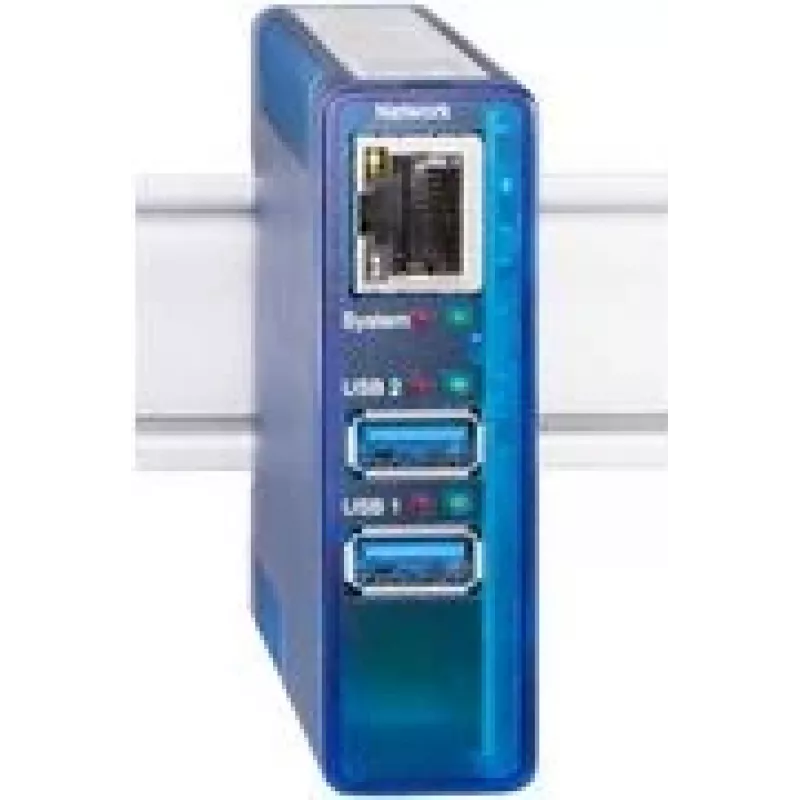
Servidor USB w&t 53663 Gigabit 2.0 integrado — servidor de dispositivos USB de red, Gigabit Ethernet

Servidor USB w&t 53663 Gigabit 2.0 integrado — servidor de dispositivos USB de red, Gigabit Ethernet
466,63 €
The w&t USB Server 53663 Gigabit 2.0 integrated enables access to USB peripherals over a local area network using a Gigabit Ethernet connection. This network USB device server supports USB 2.0 speeds and allows devices such as printers, scanners, measurement instruments and other USB peripherals to ... Leer más
Stock 4 Código 2249648 Marca W&T Modelo 53663 Garantía 2 años

Envíos y devoluciones

Entrega estimada Jueves, Octubre 29
Te mantendremos informado a través de nuestro sistema de seguimiento detallado
Opciones de pago
Tarjeta bancariaVisaMastercardPayPalApple PayGoogle PayTransferencia bancaria

The w&t USB Server 53663 Gigabit 2.0 integrated enables access to USB peripherals over a local area network using a Gigabit Ethernet connection. This network USB device server supports USB 2.0 speeds and allows devices such as printers, scanners, measurement instruments and other USB peripherals to be shared and accessed from multiple computers across a LAN. The unit is designed for integration into offices and industrial environments where centralized device sharing and remote access are needed.

Advantages

This USB server provides stable network connectivity via Gigabit Ethernet while preserving USB 2.0 transfer rates for connected peripherals. It is compatible with standard network infrastructures and supports remote device sharing without requiring a direct USB connection to each client computer. The compact integrated design is suitable for rack or desktop placement and simplifies cabling and device management in multi-user environments.

Suitable for

Key specifications

How to use

Connect the USB peripheral to the server's USB port and attach the unit to the LAN via the Gigabit Ethernet port. Configure network parameters according to the local network plan—either by DHCP or manually assigning an IP address—and install any required client software or drivers on the host computers that will access the shared device. After configuration, clients connect to the USB peripheral over the network as if it were locally attached.

Recommendations

Place the USB server within a secure network segment and ensure firmware and client software are kept up to date. For high-throughput or latency-sensitive applications, verify network quality and consider using wired Gigabit connections for both server and hosts. When sharing measurement or laboratory devices, confirm that the device drivers and control software support networked access to avoid functional limitations.

Aspectos destacados
  • Centralized printer and scanner sharing in offices
  • Remote access to measurement and laboratory instruments
  • Industrial setups that require USB device consolidation
  • Environments where multiple workstations need access to the same USB peripheral
  • Network interface: Gigabit Ethernet (10/100/1000 Mbps)
  • USB standard: USB 2.0 high-speed device support
  • Device role: Network USB device server for peripheral sharing
  • Mounting: suitable for desktop or compact rack/industrial placement
  • Power: external or integrated power supply depending on installation (check product variant)
Historial de precios de los últimos 6 meses
Servidor USB w&t 53663 Gigabit 2.0 integrado — servidor de dispositivos USB de red, Gigabit Ethernet
Actual
466,63 €
Mínimo
466,63 €
Máximo
473,93 €
Variación 24 h
-0,82 €   0%
Semana
-3,33 €   -1%
Mes
-5,97 €   -1%

Productos populares en esta categoría

Vendedor: UAB KUR LT · Laisvės pr. 125A, LT-06118 Vilna, Lituania · Código de empresa 303192950 · NIF-IVA UE LT100008198612 · Envío desde la UE (Lituania)
Hola, soy el asistente de IA de DistriNode. Puedo ayudarte a encontrar productos, comparar opciones, crear presupuestos en PDF o abrir solicitudes de soporte.