
Cuenta Contacto
Tu carrito
Envío con DPD y FedEx
¿Dudas? Pregunte a la IA

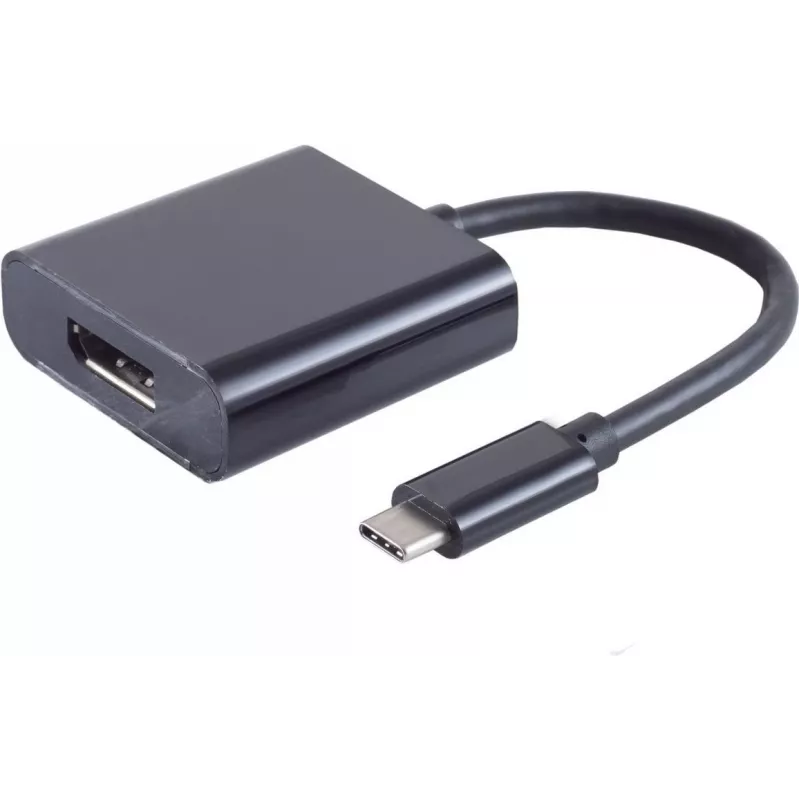
Adaptador de cable de vídeo S/CONN 14-05002

Adaptador de cable de vídeo S/CONN 14-05002
20,63 €
The ShiverPeaks Video Cable Adapter S/CONN 14-05002 is a compact 0.2 m cable that connects devices with a USB Type-C output to displays with a DisplayPort input. Designed for short-range connections between modern laptops, tablets and external monitors or projectors, this adapter supports high-resol... Leer más
Stock 98 Código 2351506 Marca SHIVERPEAKS Modelo 14-05002 Garantía 2 años

Envíos y devoluciones

Entrega estimada Martes, Octubre 27
Te mantendremos informado a través de nuestro sistema de seguimiento detallado
Opciones de pago
Tarjeta bancariaVisaMastercardPayPalApple PayGoogle PayTransferencia bancaria

The ShiverPeaks Video Cable Adapter S/CONN 14-05002 is a compact 0.2 m cable that connects devices with a USB Type-C output to displays with a DisplayPort input. Designed for short-range connections between modern laptops, tablets and external monitors or projectors, this adapter supports high-resolution video up to 4K2K and delivers stable digital video transmission in a slim, black jacketed cable.

Advantages

This adapter provides a direct USB Type-C to DisplayPort connection without the need for additional converters, enabling straightforward video output from compatible devices. Its short 0.2 m length reduces cable clutter and signal attenuation for desktop setups, while the 4K2K support ensures crisp image quality on high-resolution displays. The black finish and compact design make it suitable for mobile use and tidy desk arrangements.

Suitable for

  • Connecting modern laptops or tablets with USB Type-C to DisplayPort monitors
  • Short-distance connections in meeting rooms and presentation setups
  • Home entertainment where a compact adapter is preferred for monitor or TV input
  • Workstations where minimal cable length is required to reduce clutter

Key specifications

  • Connector 1: USB Type-C
  • Connector 2: DisplayPort
  • Cable length: 0.2 m
  • Color: Black
  • Video support: up to 4K2K resolution

How to use

Insert the USB Type-C end of the adapter into the compatible USB-C video output of your laptop or tablet, then connect the DisplayPort end to the external monitor or projector. Ensure the display input is set to the correct DisplayPort source and, if necessary, adjust the output resolution from your device’s display settings to match the monitor’s supported resolutions. No additional drivers are typically required for devices with native USB-C video output support.

Recommendations

Use this short-length adapter for desk-mounted monitors or near-field setups to minimize cable tangling. Avoid excessive bending near the connectors and keep the cable away from sharp edges. For long-distance connections, consider a longer cable or an active adapter suited for extended runs.

Aspectos destacados
  • Connecting modern laptops or tablets with USB Type-C to DisplayPort monitors
  • Short-distance connections in meeting rooms and presentation setups
  • Home entertainment where a compact adapter is preferred for monitor or TV input
  • Workstations where minimal cable length is required to reduce clutter
  • Connector 1: USB Type-C
  • Connector 2: DisplayPort
  • Cable length: 0.2 m
  • Color: Black
  • Video support: up to 4K2K resolution
Especificaciones
Color del producto
Black
Conector 1
USB Type-C
Conector 2
DisplayPort
Formato del conector 1
Straight
Formato del conector 2
Straight
Género del conector 1
Male
Género del conector 2
Female
Longitud del cable
0.2 m
Material de la funda
Acrylonitrile butadiene styrene (ABS)
Resoluciones compatibles
4K2K
Versión de DisplayPort
1.2
Historial de precios de los últimos 6 meses
Adaptador de cable de vídeo S/CONN 14-05002
Actual
20,63 €
Mínimo
20,14 €
Máximo
20,63 €
Variación 24 h
+0,41 €   +2%
Semana
+0,36 €   +2%
Mes
—   

Productos populares en esta categoría

Hola, soy el asistente de IA de DistriNode. Puedo ayudarte a encontrar productos, comparar opciones, crear presupuestos en PDF o abrir solicitudes de soporte.