
Cuenta Contacto
Tu carrito
Envío con DPD y FedEx
¿Dudas? Pregunte a la IA

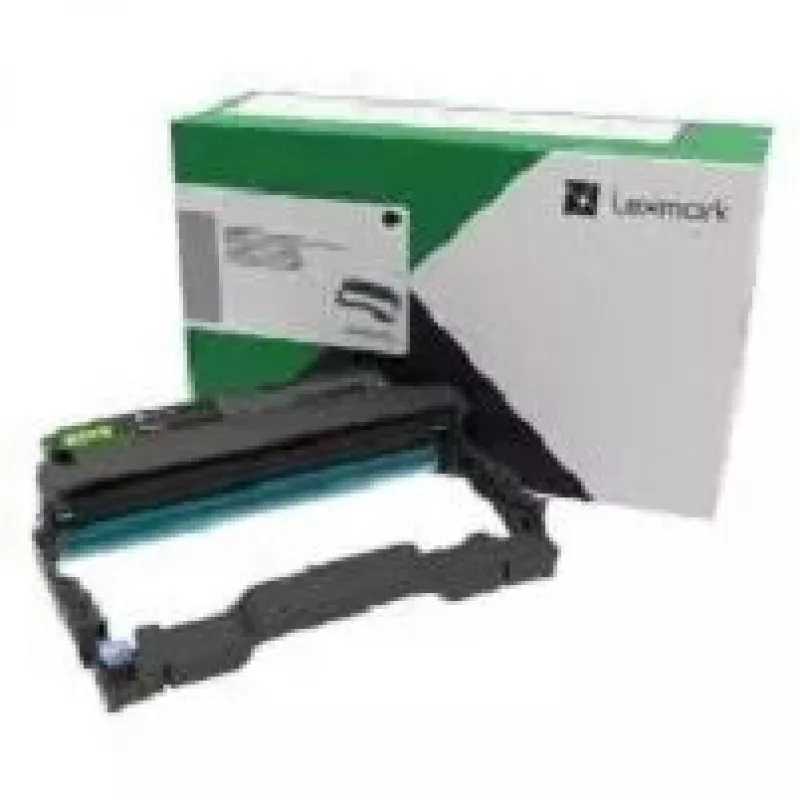
Unidad de imagen Lexmark B220Z00

Unidad de imagen Lexmark B220Z00
106,30 €
The Lexmark B220Z00 imaging unit is a replacement component designed for monochrome laser printers. It supports black-and-white document production with a rated page yield of approximately 12,000 pages. Manufactured for reliability, the unit is supplied as a single-pack spare part and has compact ex... Leer más
Stock 93 Código 10329 Marca LEXMARK Modelo B220Z00 Garantía 2 años

Envíos y devoluciones

Entrega estimada Jueves, Octubre 15
Te mantendremos informado a través de nuestro sistema de seguimiento detallado
Opciones de pago
Tarjeta bancariaVisaMastercardPayPalApple PayGoogle PayTransferencia bancaria

The Lexmark B220Z00 imaging unit is a replacement component designed for monochrome laser printers. It supports black-and-white document production with a rated page yield of approximately 12,000 pages. Manufactured for reliability, the unit is supplied as a single-pack spare part and has compact external dimensions suitable for standard office consumable storage.

Advantages

The imaging unit delivers consistent image transfer and stable print quality across long print runs, helping maintain clear text and solid blacks. Its rated yield reduces the frequency of replacements in busy workgroups, and its compatible physical size allows straightforward installation and storage. Built to factory specifications, the unit integrates with the printer's imaging system to preserve predictable performance.

Suitable for

  • High-volume black-and-white document printing
  • Office environments requiring periodic maintenance of laser printers
  • Departments replacing end-of-life imaging components
  • Service technicians performing routine consumable swaps

Key specifications

  • Color support: Black (monochrome)
  • Rated page yield: 12,000 pages
  • Pack type: Single unit
  • Manufacturing country: China
  • Physical dimensions (approx.): 123 mm width × 380 mm depth

How to use

Power off the printer or follow the manufacturer's recommended service mode before beginning replacement. Remove the front or top cover as directed by the printer manual, extract the spent imaging unit carefully to avoid toner contact, and insert the new unit until it seats securely. Reassemble covers and power the device back on; run any printer alignment or calibration procedures recommended by the printer to restore optimal print quality.

Recommendations

Store the imaging unit in a dry, dust-free environment at room temperature and avoid exposure to direct sunlight. Handle by the unit casing to prevent contact with imaging surfaces. For best results, replace the imaging unit when print density declines or when the printer indicates end-of-life for the component.

Aspectos destacados
  • High-volume black-and-white document printing
  • Office environments requiring periodic maintenance of laser printers
  • Departments replacing end-of-life imaging components
  • Service technicians performing routine consumable swaps
  • Color support: Black (monochrome)
  • Rated page yield: 12,000 pages
  • Pack type: Single unit
  • Manufacturing country: China
  • Physical dimensions (approx.): 123 mm width × 380 mm depth
Especificaciones
Altura del embalaje
235 mm
Ancho del embalaje
123 mm
Apto para impresión en color
Black
Cantidad
1
Cantidad por paquete
1 pc(s)
Código del Sistema Armonizado (HS)
84439990
Compatibilidad
B2236dw, MB2236adw
Compatibilidad con marcas
Lexmark
País de origen
China
Peso del embalaje
770 g
Profundidad del embalaje
380 mm
Rendimiento de páginas
12000 pages
Tecnología de impresión
Laser
Tipo de embalaje
Box
Historial de precios de los últimos 6 meses
Unidad de imagen Lexmark B220Z00
Actual
106,30 €
Mínimo
96,90 €
Máximo
128,51 €
Variación 24 h
+3,03 €   +3%
Semana
+3,76 €   +4%
Mes
+4,28 €   +4%

Productos populares en esta categoría

Hola, soy el asistente de IA de DistriNode. Puedo ayudarte a encontrar productos, comparar opciones, crear presupuestos en PDF o abrir solicitudes de soporte.