
Cuenta Contacto
Tu carrito
Envío con DPD y FedEx
¿Dudas? Pregunte a la IA

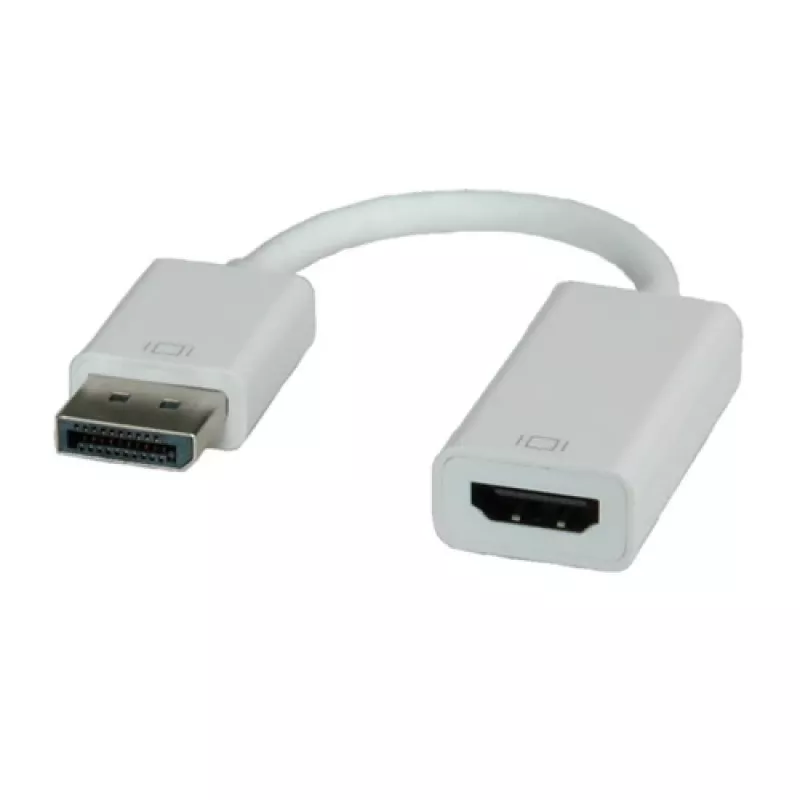
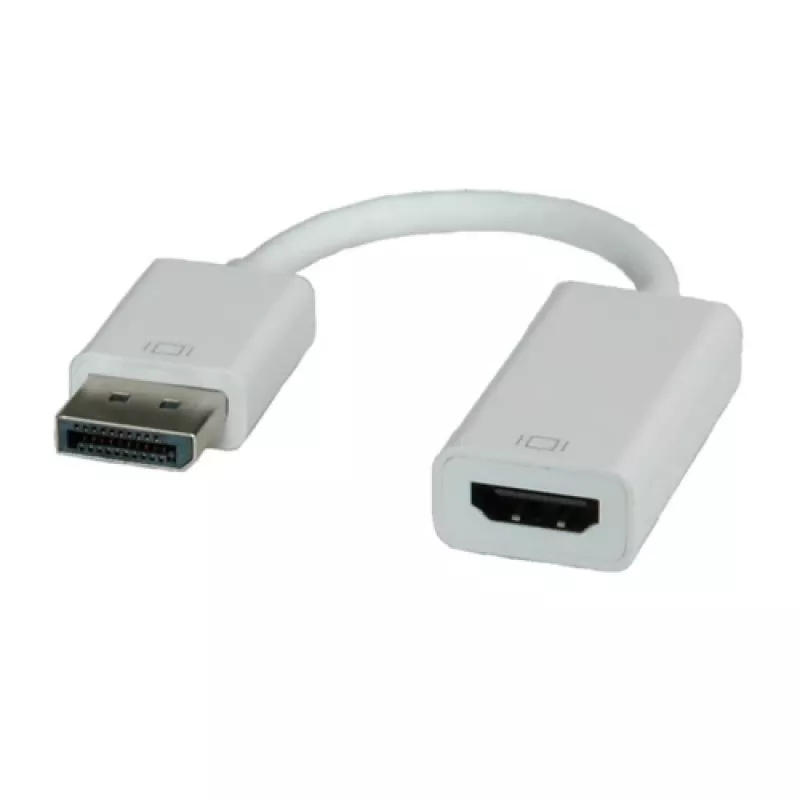
Adaptador DisplayPort a HDMI ROLINE 12.03.3134

Adaptador DisplayPort a HDMI ROLINE 12.03.3134
24,98 €
The ROLINE DisplayPort to HDMI Adapter (DP male to HDMI female) lets you connect a DisplayPort source device, such as a graphics card, to an HDMI display using an HDMI cable. The compact adapter is white, measures 0.15 m in cable length and has a shallow depth, providing a discreet connection for tr... Leer más
Stock 500 Código 1202833 Marca ROLINE Modelo 12.03.3134 Garantía 2 años

Envíos y devoluciones

Entrega estimada Viernes, Octubre 16
Te mantendremos informado a través de nuestro sistema de seguimiento detallado
Opciones de pago
Tarjeta bancariaVisaMastercardPayPalApple PayGoogle PayTransferencia bancaria

The ROLINE DisplayPort to HDMI Adapter (DP male to HDMI female) lets you connect a DisplayPort source device, such as a graphics card, to an HDMI display using an HDMI cable. The compact adapter is white, measures 0.15 m in cable length and has a shallow depth, providing a discreet connection for transmitting high-definition video and audio from DisplayPort sources to HDMI monitors or TVs.

Advantages

This adapter provides a simple, plug-and-play solution to bridge a DisplayPort output to an HDMI input without additional drivers. Its small size and white finish reduce visual intrusion at the connection point. The adapter supports combined audio and video transmission when used with a DisplayPort source that outputs audio over DP.

Suitable for

  • Connecting a PC graphics card (DisplayPort) to an HDMI monitor or TV
  • Using an HDMI cable to route video from a DisplayPort source
  • Setups where a compact, inline adapter is preferred over a longer cable

Key specifications

  • Brand: ROLINE
  • Model / MPN: 12.03.3134
  • EAN: 7611990121113
  • Connector 1: DisplayPort (male)
  • Connector 2: HDMI Type A (female)
  • Product colour: White
  • Cable length / depth: 0.15 m / 0.15 mm (adapter depth)

How to use

Plug the DisplayPort male connector into the source device’s DisplayPort output (for example a graphics card). Connect an HDMI cable to the adapter’s HDMI female port and then to the HDMI input on the monitor or TV. Ensure the source device is set to output via DisplayPort; the adapter works only from DisplayPort source to HDMI sink and does not convert signals in the opposite direction.

Recommendations

Use a high-quality HDMI cable appropriate for your desired resolution and refresh rate. Confirm that your graphics card or source device supports audio over DisplayPort if audio is required. Do not attempt to use this adapter in HDMI source → DisplayPort display configurations, as it is unidirectional.
Aspectos destacados
  • Connecting a PC graphics card (DisplayPort) to an HDMI monitor or TV
  • Using an HDMI cable to route video from a DisplayPort source
  • Setups where a compact, inline adapter is preferred over a longer cable
  • Brand: ROLINE
  • Model / MPN: 12.03.3134
  • EAN: 7611990121113
  • Connector 1: DisplayPort (male)
  • Connector 2: HDMI Type A (female)
  • Product colour: White
  • Cable length / depth: 0.15 m / 0.15 mm (adapter depth)
Especificaciones
Color del cable
White
Color del producto
White
Conector 1
DisplayPort
Conector 2
HDMI Type A (Standard)
Conexión a la unidad del sistema
HDMI Female
Género del conector 1
Male
Género del conector 2
Female
Género del conector derecho
Female
Género del conector izquierdo
Male
Longitud del cable
0.15 m
Profundidad
0.15 mm
Tipo de conector
HDMI Type A

Folleto

Abrir documento

Documento

Abrir documento
Historial de precios de los últimos 6 meses
Adaptador DisplayPort a HDMI ROLINE 12.03.3134
Actual
24,98 €
Mínimo
24,29 €
Máximo
25,60 €
Variación 24 h
+0,54 €   +2%
Semana
+0,59 €   +2%
Mes
+0,63 €   +3%

Productos populares en esta categoría

Hola, soy el asistente de IA de DistriNode. Puedo ayudarte a encontrar productos, comparar opciones, crear presupuestos en PDF o abrir solicitudes de soporte.