
Cuenta Contacto
Tu carrito
Envío con DPD y FedEx
¿Dudas? Pregunte a la IA

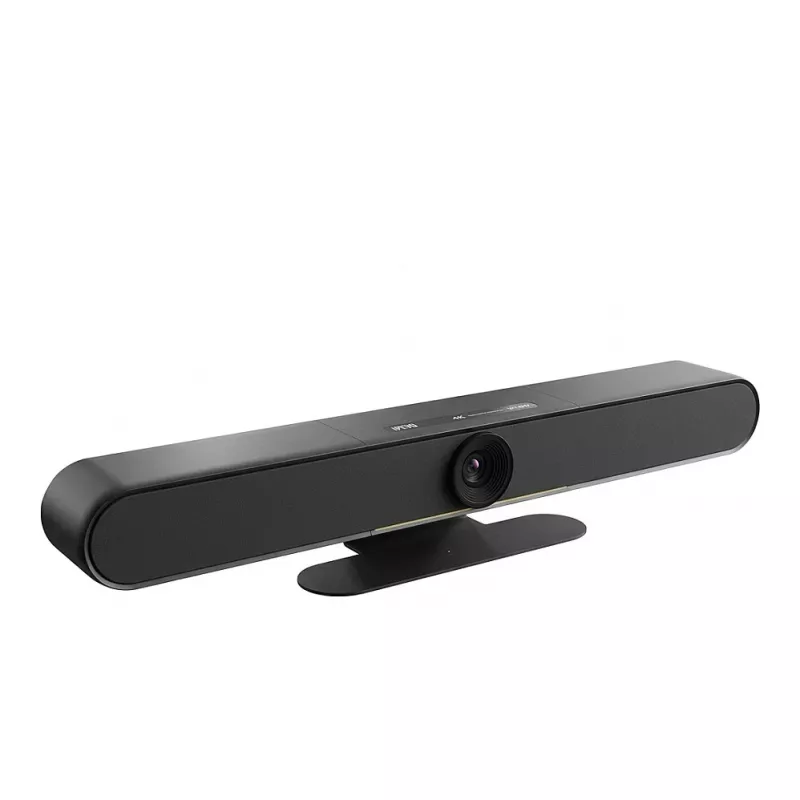
Cámara de videoconferencia PTZ Ipevo VC‑B4K UHD 4K, PTZ motorizada, conexión USB

Cámara de videoconferencia PTZ Ipevo VC‑B4K UHD 4K, PTZ motorizada, conexión USB
879,92 €
Ipevo VC‑B4K UHD 4K is a motorized PTZ video conference camera designed for meeting rooms, lecture halls and remote collaboration. The camera provides UHD 4K resolution and motorized pan, tilt and zoom control, and connects via USB for easy integration with PCs and popular conferencing applications.... Leer más
Stock 2 Código 2261850 Marca IPEVO Modelo 5-931-2-08-00 Garantía 2 años

Envíos y devoluciones

Entrega estimada Martes, Octubre 27
Te mantendremos informado a través de nuestro sistema de seguimiento detallado
Opciones de pago
Tarjeta bancariaVisaMastercardPayPalApple PayGoogle PayTransferencia bancaria

Ipevo VC‑B4K UHD 4K is a motorized PTZ video conference camera designed for meeting rooms, lecture halls and remote collaboration. The camera provides UHD 4K resolution and motorized pan, tilt and zoom control, and connects via USB for easy integration with PCs and popular conferencing applications. Its optical performance and remote controllability support clear participant visibility and flexible framing during presentations, hybrid meetings and distance learning sessions.

Advantages

The motorized PTZ mechanism enables smooth pan, tilt and zoom adjustments without manual repositioning. Native UHD 4K resolution captures detailed images suitable for large screens and close-up views of presenters or whiteboards. USB connectivity simplifies setup and compatibility with standard video conferencing software. Compact design and motorized control reduce the need for camera repositioning and enable remote framing adjustments during live sessions.

Suitable for

  • Corporate meeting rooms and boardrooms
  • University lecture halls and classrooms
  • Remote collaboration and video conferencing
  • Training sessions and webinars
  • Distance learning and hybrid events

Key specifications

  • Imaging resolution: UHD 4K
  • Motorized PTZ: pan, tilt and zoom control
  • Interface: USB connectivity for video and control
  • Mounting: table or tripod-compatible mounting options

How to use

Connect the Ipevo VC‑B4K to a host PC using the USB cable, then select the camera as the video source in your conferencing or recording application. Use the host software or compatible control interface to perform pan, tilt and zoom operations and to set framing and presets as needed. Position the camera on a stable surface or tripod to ensure steady imaging, and adjust the zoom and tilt to frame presenters, whiteboards or demo areas appropriately.

Recommendations

For optimal image clarity, use the camera in well-lit environments and position it to minimize strong backlighting. Test framing and zoom levels before meetings and save presets if supported by your conferencing software to streamline recurring setups.

Aspectos destacados
  • Corporate meeting rooms and boardrooms
  • University lecture halls and classrooms
  • Remote collaboration and video conferencing
  • Training sessions and webinars
  • Distance learning and hybrid events
  • Imaging resolution: UHD 4K
  • Motorized PTZ: pan, tilt and zoom control
  • Interface: USB connectivity for video and control
  • Mounting: table or tripod-compatible mounting options
Especificaciones
Color del producto
Black
Historial de precios de los últimos 6 meses
Cámara de videoconferencia PTZ Ipevo VC‑B4K UHD 4K, PTZ motorizada, conexión USB
Actual
879,92 €
Mínimo
819,07 €
Máximo
927,57 €
Variación 24 h
-1,07 €   0%
Semana
-5,28 €   -1%
Mes
-12,35 €   -1%

Productos populares en esta categoría

Vendedor: UAB KUR LT · Laisvės pr. 125A, LT-06118 Vilna, Lituania · Código de empresa 303192950 · NIF-IVA UE LT100008198612 · Envío desde la UE (Lituania)
Hola, soy el asistente de IA de DistriNode. Puedo ayudarte a encontrar productos, comparar opciones, crear presupuestos en PDF o abrir solicitudes de soporte.