Cuenta Contacto
Tu carrito
Envío con DPD y FedEx
¿Dudas? Pregunte a la IA

Lenovo ThinkPad Universal USB-C Dock con cable USB 3.2 Gen 1 (3.1 Gen 1) Type-C negro

Lenovo ThinkPad Universal USB-C Dock con cable USB 3.2 Gen 1 (3.1 Gen 1) Type-C negro
36 mes
Lenovo ThinkPad Universal USB-C Dock con cable USB 3.2 Gen 1 (3.1 Gen 1) Type-C negro
158,35 €
Lenovo ThinkPad Universal USB-C Dock, Wired, USB 3.2 Gen 1 (3.1 Gen 1) Type-C, 10,100,1000 Mbit/s, Black, 4K Ultra HD, 3840 x 2160 pixels One Dock. No Limits. Engineered for performance and productivity, the ThinkPad Universal USB-C Dock is compatible with most Windows 10 an... Leer más
Stock 50 Código 26958 Marca LENOVO Modelo 40AY0090EU Garantía 3 años

Envíos y devoluciones

Entrega estimada Martes, Octubre 27
Te mantendremos informado a través de nuestro sistema de seguimiento detallado
Opciones de pago
Tarjeta bancariaVisaMastercardPayPalApple PayGoogle PayTransferencia bancaria

Lenovo ThinkPad Universal USB-C Dock, Wired, USB 3.2 Gen 1 (3.1 Gen 1) Type-C, 10,100,1000 Mbit/s, Black, 4K Ultra HD, 3840 x 2160 pixels
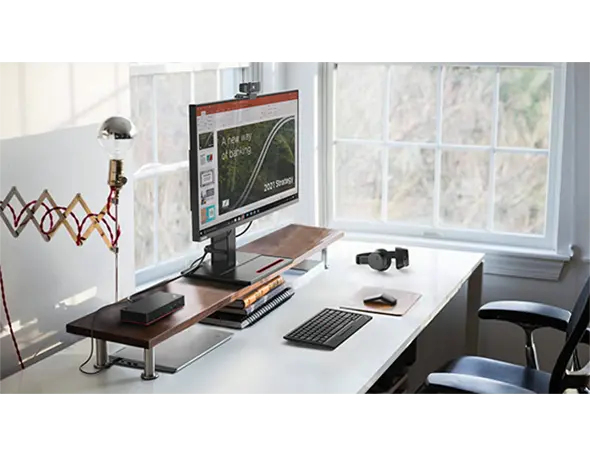
One Dock. No Limits.

One Dock. No Limits.

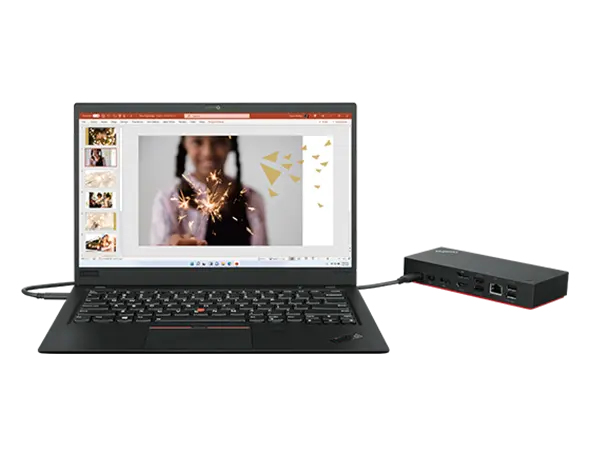
Engineered for performance and productivity, the ThinkPad Universal USB-C Dock is compatible with most Windows 10 and above USB-C notebooks2. Ideal for both office-based and remote working, it’s an IT manager’s dream—critical firmware updates are installed automatically and traditional IT tools, such as PXE boot, WOL, and MAC Address Pass Through, are also supported.

One Cable. No Hassle.

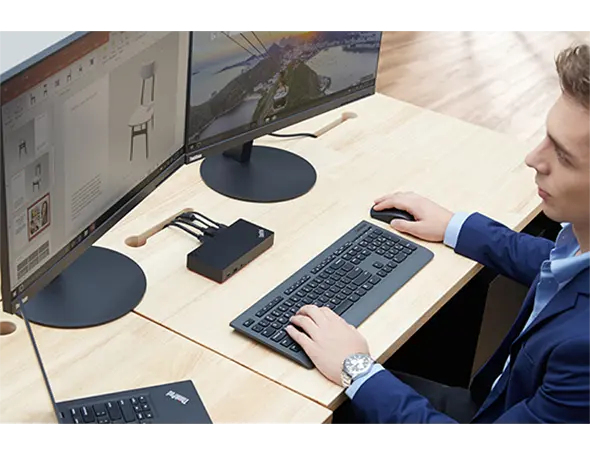
With the convenience of 11+ ports, including DisplayPort™ and HDMI™, the ThinkPad Universal USB-C Dock gives you exceptional versatility. It lets you savour blazing-fast data transfers, rapidly charge USB-C notebooks, and plug and play displays and other PC accessories. What’s more, this advanced onecable docking solution gives you more desk-space to work and play with.
One Cable. No Hassle.
One Remote Workforce. No Problem.

One Remote Workforce. No Problem.

Remote dock management just got a whole lot smarter. Thanks to Dock Manager and our latest hardware, firmware updates can be done without any end-user interruption, which means productivity is never compromised

How to use

Connect the dock to a compatible notebook using the USB-C cable. Attach peripherals such as monitors, keyboard, mouse and Ethernet cable to the corresponding ports. Ensure the notebook supports USB-C power delivery and video output if you require charging and external display functionality. For fleet deployments, register the dock with your management tools to enable remote firmware updates and IT features.

Recommendations

Use a notebook that supports USB-C power delivery and video-over-USB-C for full functionality. For best display performance keep monitor cables and firmware up to date; IT administrators should verify PXE, WOL and MAC pass-through compatibility with connected notebook models before large-scale rollout.

Aspectos destacados
  • Office desktops and hot-desk environments
  • IT-managed fleets requiring remote updates and PXE/WOL support
  • Users who need multiple peripherals, wired network and external displays
  • Interface: USB 3.2 Gen 1 Type-C (wired)
  • Power delivery: dynamic charging up to 100 W
  • Ethernet: 10/100/1000 Mbit/s (RJ-45)
  • Video output: supports up to 4K UHD (3840 x 2160)
  • USB ports: USB 3.2 Gen 2 Type-A x3, USB 2.0 x2, HDMI x1
  • Colour: Black
  • Weight: 0.34 kg
Especificaciones
Altura
30.8 mm
Altura del embalaje
75 mm
Ancho
171 mm
Ancho del embalaje
210 mm
Cables incluidos
USB Type-C
Cantidad por paquete
1 pc(s)
Certificación
FCC/ICES, KCC, RCM, BSMI, VCCI, CB, cULus, EAC, TUV- Mark, Kvalitet, LoA, Israel SII, DoC, NOM
Certificados de conformidad
CE
Código del Sistema Armonizado (HS)
84733020
Color del producto
Black
Conector de alimentación
USB Type-C
Entrada de micrófono
No
Ethernet LAN
Yes
Fuente de alimentación
90 W
Humedad relativa de funcionamiento (H-H)
20 - 95%
Interfaz de host
USB 3.2 Gen 1 (3.1 Gen 1) Type-C
Interruptor de encendido/apagado
Yes
Lector de tarjetas integrado
No
Número de pantallas compatibles
3
Número de puertos DisplayPort
2
Número de puertos HDMI
1
Número de puertos USB 2.0
2
Número de puertos USB 3.2 Gen 1 (3.1 Gen 1) tipo A
0
Número de puertos USB 3.2 Gen 1 (3.1 Gen 1) tipo C
1
Número de puertos USB 3.2 Gen 2 (3.1 Gen 2) tipo A
3
Peso
340 g
Peso del embalaje
955 g
Profundidad
80 mm
Profundidad del embalaje
158 mm
Puerto combinado de auriculares/micrófono
Yes
Puertos Ethernet LAN (RJ-45)
1
Ranura para cable de seguridad
Yes
Resolución digital máxima
3840 x 2160 pixels
Salidas de auriculares
0
Sistemas operativos Windows compatibles
Windows 10, Windows 7
Tecnología de conectividad
Wired
Temperatura de funcionamiento (T-T)
0 - 35 °C
Tipo de fuente de alimentación
USB
Tipo de HD
4K Ultra HD
Tipo de ranura para cable de seguridad
Kensington
Velocidades de datos de Ethernet LAN
10,100,1000 Mbit/s
Historial de precios de los últimos 6 meses
Lenovo ThinkPad Universal USB-C Dock con cable USB 3.2 Gen 1 (3.1 Gen 1) Type-C negro
Actual
158,35 €
Mínimo
148,94 €
Máximo
162,35 €
Variación 24 h
-0,16 €   0%
Semana
+0,26 €   +0%
Mes
+4,39 €   +3%

Productos populares en esta categoría

Hola, soy el asistente de IA de DistriNode. Puedo ayudarte a encontrar productos, comparar opciones, crear presupuestos en PDF o abrir solicitudes de soporte.